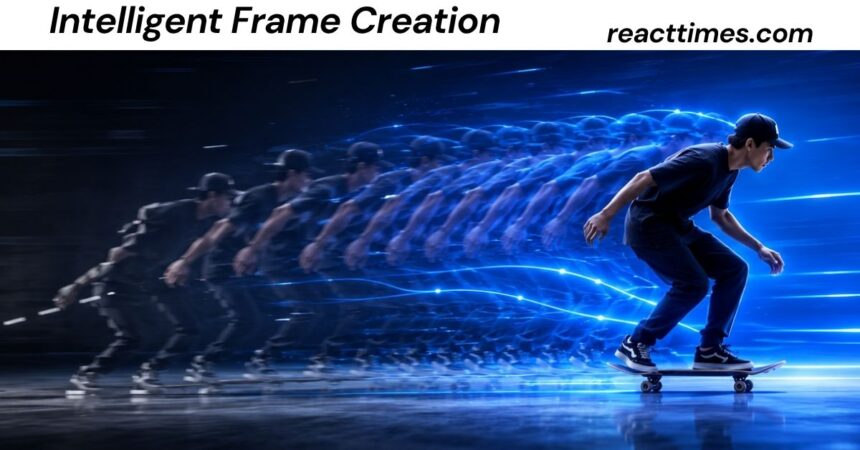
Modern video technology is changing the way we experience motion on screens. From fast sports action to movie scenes and gaming, smoother movement can make visual content feel more natural and enjoyable. Intelligent frame creation helps achieve this by using advanced processing to estimate the moments between existing video frames. As AI and image-processing technology continue to improve, this approach is becoming an important part of modern TVs, video software, and digital media workflows.
What Is Intelligent Frame Creation?
Intelligent frame creation is a technology that creates new images between existing video frames to make motion appear smoother, clearer, or more fluid.
A normal video is made from a sequence of individual images called frames. For example, a movie may use 24 frames per second, while television broadcasts, online videos, and games may commonly use 30, 60, or higher frame rates.
When intelligent frame creation is used, a computer, television, camera, graphics processor, or software application analyzes existing frames and estimates what an intermediate image should look like. The newly calculated image is then placed between the original frames.
In simple terms, imagine two photographs:
- Frame A shows a car on the left side of the road.
- Frame B shows the same car farther to the right.
- Intelligent frame creation estimates what the car and background should look like between those two moments.
- The system creates an intermediate frame and inserts it into the sequence.
The result can make movement look smoother.
The technology is closely related to terms such as frame interpolation, motion interpolation, motion smoothing, motion-compensated frame interpolation, AI frame generation, and neural frame interpolation.
However, these terms are not always identical. Some systems simply blend two frames. Others estimate motion and reposition parts of an image. More advanced systems use machine learning or neural networks to predict visual information that was never captured by the original camera.
That difference is important because generated frames are estimates. They are not original photographs of moments that the camera actually recorded.
Intelligent Frame Creation at a Glance
For readers who want a quick answer, intelligent frame creation can be summarized as follows:
| Feature | Explanation |
| Primary purpose | Make motion appear smoother |
| Basic method | Create intermediate frames between existing frames |
| Related technology | Frame interpolation |
| Common source | Video, television, games, animation |
| Common target | Higher effective frame rate |
| Possible benefits | Smoother movement, less judder, better slow motion |
| Possible problems | Ghosting, warping, halos, unnatural movement |
| Common hardware | TVs, cameras, gaming systems, displays |
| Common software use | Video editing, restoration, conversion, AI video processing |
| Important limitation | Generated frames can contain visual errors |
How Does Intelligent Frame Creation Work?
The basic idea is simple, but modern implementations can be technically complex.
A video contains a sequence of images captured at specific points in time. If a camera records at 24 frames per second, there are 24 original images for every second of footage.
Suppose a system wants to produce a higher temporal sampling rate. It needs additional images between those original frames.
A simple system might combine neighboring frames. More advanced systems try to understand how objects move.
Step 1: Analyze Existing Frames
The system first examines neighboring frames.
It looks for changes in:
- Object position
- Edges
- Shapes
- Brightness
- Texture
- Camera movement
- Background movement
- Object boundaries
The goal is to understand what changed between one frame and the next.
Step 2: Estimate Motion
The system then attempts to estimate movement.
For example, if a person’s hand moves from one location to another, the algorithm tries to determine the direction and distance of that movement.
Traditional approaches may use optical-flow techniques or related motion-estimation methods.
Optical flow is a computer-vision concept that estimates how visual features move from one image to another.
This information can help the system create an intermediate image rather than simply mixing two frames together.
Step 3: Predict the Intermediate Frame
After estimating movement, the system creates a new image representing a moment between the two original frames.
If the source contains:
Frame A → Frame B
the system may produce:
Frame A → Generated Frame → Frame B
For an even higher output rate, it may create multiple intermediate images.
For example:
Frame A → Generated 1 → Generated 2 → Generated 3 → Frame B
Step 4: Display or Export the Result
The generated frames can then be used for playback, editing, slow motion, frame-rate conversion, or other applications.
On a television, this process can happen in real time.
In video-editing software, the process may be performed during rendering or export.
In gaming, frame-generation technology may use information from rendered frames and other graphics data to create additional displayed frames.
Is Intelligent Frame Creation the Same as Frame Interpolation?
Not exactly, although the terms are closely connected.
Frame interpolation is the more established technical term for generating intermediate frames between existing frames.
Intelligent frame creation is a broader phrase. It can describe conventional motion interpolation, AI-based interpolation, or proprietary technologies used by manufacturers.
In many contexts, however, the two terms are used almost interchangeably.
A useful way to think about the relationship is:
Intelligent frame creation is the general idea, while frame interpolation describes one of the main technical methods used to accomplish it.
Modern systems can go beyond simple interpolation. Machine-learning models may attempt to understand objects, motion, depth, and occlusion before producing a new frame.
Why Do People Use Intelligent Frame Creation?
The main reason is simple: people generally perceive smooth motion as more fluid.
This can be useful when the original video has a relatively low frame rate or when fast movement causes noticeable judder.
Several applications are common.
Smoother Television Playback
Televisions can analyze incoming video and generate additional frames.
Alos Read: GrammarVista.com: Complete Guide to Grammar, Spelling, Writing Tools, and American English
This is especially noticeable during:
- Sports
- Camera pans
- Fast action
- News broadcasts
- Live television
- Nature documentaries
Panasonic, for example, has used the term Intelligent Frame Creation for television motion processing designed to compensate for frame-rate limitations and reduce judder.
Better-Looking Slow Motion
Slow motion requires a video to display motion over a longer period.
If footage does not contain enough original frames, simply slowing it down can produce choppy movement.
Frame interpolation can create additional frames to make the slowed footage look smoother.
This does not mean the system recovered the exact moments that existed in real life. It created an estimate of those moments.
Video Frame-Rate Conversion
Video sometimes needs to be converted from one frame rate to another.
For example, a production workflow might need to move between different frame-rate standards.
Interpolation can help create the additional frames required by the new frame rate.
Professional workflows still need to consider timing, audio synchronization, motion cadence, editing decisions, and delivery requirements.
Animation
Animation has used the concept of in-betweening for decades.
Traditional animators create key poses and then produce intermediate drawings to create movement.
Modern software can automate some parts of this process.
AI-assisted animation can estimate intermediate poses or visual states, although professional animation often still requires human review and correction.
Video Restoration
Older video may have a lower frame rate or inconsistent motion.
Interpolation can sometimes help prepare archival footage for modern displays.
However, preservation specialists should keep the original material untouched.
Generated frames should be treated as processed versions rather than replacements for historical source material.
Intelligent Frame Creation vs. Increasing the Refresh Rate
These concepts are often confused.
A display’s refresh rate describes how frequently the display can update its image.
For example, a 120 Hz television can refresh its display up to 120 times per second under appropriate conditions.
That does not automatically mean the television receives 120 unique video frames every second.
If the source is 24 FPS, the display has only 24 original images per second.
Intelligent frame creation can generate additional images between those original frames.
Therefore:
A high refresh rate describes what the display can show.
Frame creation describes additional visual frames that a system calculates.
A 120 Hz display and intelligent frame creation can work together, but they are not the same technology.
Intelligent Frame Creation and the Soap Opera Effect
One of the best-known complaints about motion interpolation is the “soap opera effect.”
This term is commonly used when film content appears unusually smooth or video-like.
Many movies are intentionally filmed and presented with a particular cinematic motion character. When aggressive interpolation is applied, the movement can look different from what filmmakers intended.
Some viewers like the extra smoothness.
Others prefer the original presentation.
There is no universal correct setting.
This is why many televisions provide several motion-processing levels, such as:
- Off
- Low
- Medium
- High
- Custom
Panasonic documentation, for example, has described multiple Intelligent Frame Creation settings and adjustable motion controls on some television models.
For movies, a lower setting or an off setting may be preferable for viewers who want to preserve the original cinematic appearance.
For sports, a stronger setting may be more appealing because smooth movement can be more important than preserving a film-like look.
What Are the Benefits of Intelligent Frame Creation?
Smoother Motion
The most obvious advantage is smoother-looking movement.
Fast-moving objects can appear less jerky when additional frames are generated successfully.
Reduced Perceived Judder
Judder occurs when motion appears uneven, particularly during certain camera movements.
Interpolation can reduce the appearance of this effect.
Better Slow Motion
Additional frames can help slow-motion footage look more continuous.
Improved Sports Viewing
Sports contain frequent fast movements, camera pans, and rapidly changing positions.
Interpolation can make these scenes appear more fluid.
Better Motion on Some Displays
A suitable motion-processing system can improve perceived motion clarity without requiring the original content to be recorded at an extremely high frame rate.
Useful Production Tool
Video editors can use interpolation for specialized projects, including certain frame-rate conversions, slow-motion effects, restoration workflows, and visual experiments.
What Are the Disadvantages of Intelligent Frame Creation?
Intelligent frame creation is not perfect.
The biggest limitation is that the system has to guess information that was not captured.
Ghosting
Ghosting happens when traces of an object appear in more than one position.
This can occur when an algorithm cannot correctly determine how a moving object should transition.
Warping
An object may appear stretched, bent, or distorted.
This is especially noticeable when motion is complex.
Edge Artifacts
Fine edges may develop halos, duplicated outlines, or unusual shapes.
Text and high-contrast patterns can make these errors easier to see.
Occlusion Problems
Occlusion occurs when one object blocks another.
Imagine a person walking in front of a wall.
One frame may show the wall clearly.
The next frame may show the person covering part of it.
The system must estimate what the hidden area should look like.
That information may not be available in either original frame.
Fast Rotation
Spinning objects can be difficult to interpolate.
Examples include:
- Bicycle wheels
- Car wheels
- Fans
- Rotating machinery
- Sports equipment
The visual pattern can change rapidly, making motion estimation difficult.
Transparency
Glass, reflections, smoke, water, and transparent objects can also create challenges.
Scene Cuts
A scene cut is not normal continuous movement.
If one frame shows a person indoors and the next frame suddenly shows a mountain, there is no real physical movement connecting the two images.
Trying to interpolate between unrelated scenes can create strange results.
A good system should recognize cuts and avoid treating them as continuous motion.
How AI Has Changed Intelligent Frame Creation
Earlier motion-interpolation systems relied heavily on image-processing techniques and motion estimation.
Modern AI has expanded what these systems can attempt.
Neural networks can be trained on large collections of video and learn patterns associated with movement.
Instead of only asking, “Where did this pixel move?” a learned model can attempt to recognize broader visual relationships.
This can include:
- Object shapes
- Motion patterns
- Edges
- Deformation
- Texture
- Occlusion
- Scene structure
Neural frame-interpolation research and tools can therefore produce results that are more sophisticated than basic frame blending.
However, AI does not eliminate uncertainty.
A neural network may generate a visually convincing result that is still incorrect.
This distinction matters.
A generated frame can look realistic without being historically or physically accurate.
AI Frame Generation vs. AI Video Generation
These concepts are related but different.
AI frame interpolation normally starts with existing video.
Its goal is to estimate what should exist between known frames.
AI video generation can start from:
- Text
- Images
- Video
- Prompts
- Keyframes
and generate entirely new content.
For example, frame interpolation might take:
Frame A + Frame B
and estimate:
Frame A → Intermediate Frame → Frame B
A generative video system may instead receive an image and a description and create an entirely new sequence of movement.
The first process is constrained by existing footage.
The second process has much more creative freedom.
This difference is important when evaluating claims about AI video technology.
Intelligent Frame Creation in Gaming
Gaming is another important area where frame-generation concepts are used.
Modern games can be demanding on graphics hardware.
Rendering every frame at a very high rate can require substantial processing power.
Frame-generation technologies can create additional displayed frames based on information from rendered frames and the game’s graphics pipeline.
The objective is to make gameplay appear smoother.
However, generated frames do not necessarily represent additional game-simulation steps.
This means frame generation and game responsiveness are related but different concepts.
A game can display more frames while the underlying game simulation continues at a different rate.
For competitive gaming, users may therefore care about more than the displayed frame rate.
They may also consider:
- Input latency
- System responsiveness
- GPU performance
- CPU performance
- Display refresh rate
- Game settings
- Connection quality
This is why “more frames” should not automatically be interpreted as “better gaming.”
Intelligent Frame Creation for Sports
Sports video is one of the strongest use cases for motion interpolation.
Consider a football or basketball game.
The camera may quickly pan across the field or court while players move in different directions.
A higher-quality interpolation system can estimate motion and insert additional frames.
This can make the action appear more fluid.
However, sports also create difficult situations.
Players can overlap.
Hands and feet move rapidly.
Balls can travel quickly.
Crowds create complex backgrounds.
Camera motion can happen at the same time as player motion.
These conditions can increase the chance of interpolation artifacts.
For that reason, viewers should judge the actual picture rather than assuming that the highest motion setting is always best.
Intelligent Frame Creation for Movies
Movies are a special case.
Film motion has a particular visual character.
Many movies are shot and delivered at approximately 24 frames per second because filmmakers use this frame rate as part of the cinematic presentation.
Adding artificial frames can make movement smoother, but it can also change the appearance of the film.
This is why many home-theater enthusiasts prefer motion interpolation to be disabled or used conservatively for movies.
A viewer watching a live sports event may prefer maximum smoothness.
The same viewer may choose a different setting for a dramatic movie.
The best configuration depends on the content and personal preference.
How to Choose the Best Intelligent Frame Creation Setting
There is no universal setting that works for every type of content.
A practical approach is to adjust the feature based on what you are watching.
For Movies
Try:
- Off
- Low
- A cinema-oriented mode
The goal is usually to preserve the intended cinematic appearance.
For Sports
Try:
- Low
- Medium
- Higher motion settings if artifacts remain acceptable
Sports viewers often prioritize smooth movement.
For Live Television
Medium processing can sometimes provide a reasonable balance.
For Animation
Test the setting carefully.
Flat colors and sharp outlines can make interpolation artifacts especially noticeable.
For Gaming
Use the display’s gaming mode when appropriate.
Motion interpolation may increase processing or latency on some systems, while specialized gaming frame-generation technologies operate differently.
Always check the settings and documentation for the specific device.
How to Identify Intelligent Frame Creation Artifacts
You do not need technical equipment to identify common problems.
Watch for these signs:
Look at Moving Edges
Does an object have a duplicate outline?
Does its edge appear to wobble?
Watch Hands and Faces
Hands, fingers, faces, and hair can reveal interpolation errors.
Watch Text
Scrolling text, subtitles, and signs can expose warping.
Watch Repeating Patterns
Fences, windows, wheels, and similar repeating objects can confuse motion algorithms.
Watch Reflections
Mirrors, water, and glass can produce unusual transitions.
Watch Scene Changes
If an image suddenly changes from one scene to another, check whether the system creates an unnatural transitional frame.
Is Intelligent Frame Creation Good for Every Video?
No.
Its value depends on the source material and the viewer’s objective.
It can be helpful when:
- Motion is fast.
- The source has a low frame rate.
- The viewer prefers smooth movement.
- Slow motion is required.
- Frame-rate conversion is needed.
It may be less desirable when:
- The original cinematic look matters.
- The content contains complex motion.
- The interpolation creates visible artifacts.
- The source already has a high frame rate.
- Authentic original frames are important.
The important lesson is that intelligent frame creation is a tool, not an automatic quality upgrade.
Intelligent Frame Creation and Video Quality
Higher frame rate does not automatically mean higher image quality.
Image quality can be divided into several different characteristics:
- Resolution
- Color accuracy
- Dynamic range
- Compression
- Sharpness
- Motion clarity
- Temporal smoothness
- Artifact level
Intelligent frame creation primarily affects temporal behavior.
It does not magically increase the original camera’s resolution.
If a low-resolution video is converted to a higher frame rate, it may have more displayed frames but the original image detail has not necessarily increased.
Similarly, generating frames cannot recover every piece of information that a camera failed to capture.
Can Intelligent Frame Creation Create New Detail?
It can generate visual detail, but users should understand what that means.
If an intermediate frame contains an object that was not completely visible in either source frame, an advanced AI system may need to infer what that area should look like.
The resulting detail can appear realistic.
But it is generated detail.
This is different from recovering information that was physically recorded.
That distinction becomes especially important in:
- Scientific imaging
- Journalism
- Historical footage
- Legal evidence
- Security footage
- Medical imaging
- Forensic work
In these contexts, generated imagery should not automatically be treated as an accurate record of an unobserved moment.
Intelligent Frame Creation and Digital Evidence
Frame interpolation raises an important digital-literacy issue.
Also Read: rashywings.com: The Website, Content, Purpose, and Online Presence
A generated intermediate frame can look like a genuine photograph even though it was never captured by the original camera.
For ordinary entertainment, that may be completely acceptable.
For evidence, it can be a serious concern.
Suppose security footage contains two frames with an unclear event between them.
An interpolation system might generate a visually plausible intermediate frame.
That generated image should not automatically be presented as a direct recording of what happened.
Original footage, metadata, processing history, and chain of custody matter.
A responsible workflow should preserve the original video and clearly identify any generated frames.
Intelligent Frame Creation and Privacy
Frame-generation technology can also create privacy concerns.
Video processing often involves sensitive visual information.
Examples include:
- Faces
- Home interiors
- License plates
- Workplace footage
- Children
- Private conversations
- Security-camera recordings
Users should understand where processing occurs.
A local device may process footage directly on the hardware.
A cloud-based service may upload footage to remote servers.
Before using an online AI video service, check:
- Privacy policy
- Data retention rules
- Training policies
- Account settings
- Upload limits
- Data deletion options
- Terms of service
Sensitive footage should not be uploaded casually.
Intelligent Frame Creation and Copyright
Interpolation itself does not eliminate copyright obligations.
If you process copyrighted video, you still need to consider how the original footage was obtained and how the resulting video will be used.
For example, converting a copyrighted movie into a smoother version for personal viewing is different from downloading copyrighted material, processing it, and redistributing the resulting video.
Copyright law in the United States can depend on the specific circumstances.
Commercial use, redistribution, public performance, licensing, and transformative use can involve different legal questions.
The safest approach is to use footage that you own, have permission to process, or are otherwise legally entitled to use.
Does Intelligent Frame Creation Use AI?
Sometimes.
The answer depends on the implementation.
Some systems use traditional algorithms.
Some use optical flow or motion estimation.
Some use neural networks.
Others combine several techniques.
Therefore, the word “intelligent” does not necessarily mean that a particular system uses generative AI.
Consumers should check the manufacturer’s or software developer’s technical documentation rather than assuming that every motion-smoothing feature is an AI model.
Intelligent Frame Creation vs. Frame Blending
Frame blending is one of the simplest approaches.
It combines information from neighboring frames.
Imagine:
50% Frame A + 50% Frame B
The result is an intermediate-looking image.
The problem is that moving objects appear in two positions at once.
This creates ghosting.
Motion-aware interpolation attempts to solve the problem by moving image information before combining it.
Therefore:
Frame blending = combine frames.
Motion interpolation = estimate movement and create an intermediate state.
Neural interpolation = use a trained model to estimate the intermediate state, often with more complex visual reasoning.
These approaches can produce very different results.
What Makes a Good Interpolation System?
A good intelligent frame creation system should do more than make motion look smooth.
It should also preserve image integrity.
Important characteristics include:
Accurate Motion Estimation
The system should understand how objects move.
Good Occlusion Handling
It should deal with objects that reveal or hide parts of the scene.
Stable Edges
Edges should not wobble or develop halos.
Scene-Cut Detection
The system should recognize when frames do not represent continuous motion.
Consistent Texture
Patterns should not change unexpectedly between frames.
Low Latency
Real-time applications need processing to happen quickly.
Controlled Artifacts
A small amount of smoothing may be preferable to severe distortion.
The best system is therefore not necessarily the one that creates the greatest number of frames.
It is the one that produces useful additional frames without introducing distracting errors.
How Intelligent Frame Creation May Develop in the Future
The technology is likely to continue improving as computer vision, machine learning, graphics processors, and video hardware advance.
Future systems may become better at understanding:
- 3D scene structure
- Depth
- Object identity
- Camera movement
- Complex deformation
- Lighting changes
- Occlusion
- Fine textures
This could produce more reliable intermediate frames.
However, a fundamental challenge will remain.
The system cannot directly observe a moment that was never recorded.
It can only estimate it.
Even very advanced AI therefore needs to be evaluated for visual accuracy, not just realism.
Common Misconceptions About Intelligent Frame Creation
Myth 1: More frames always mean better quality
Not necessarily.
More frames can create smoother motion, but poor generated frames can reduce perceived quality.
Myth 2: A 120 Hz display automatically creates 120 FPS video
No.
Refresh rate and source frame rate are different concepts.
Myth 3: AI interpolation recovers missing footage perfectly
No.
AI estimates missing visual information.
Myth 4: Frame creation increases resolution
Not directly.
Frame creation primarily changes temporal sampling.
Myth 5: Intelligent frame creation is always good for movies
Not necessarily.
Some viewers prefer the original cinematic motion.
Myth 6: Generated frames are equivalent to camera frames
They are not.
Generated frames are calculated images.
Also Read: Delta Fitness Authority: The Fitness, Nutrition, Equipment, and What Consumers Should Know
Frequently Asked Questions About Intelligent Frame Creation
1. Does intelligent frame creation improve 24 FPS video?
It can make 24 FPS video appear smoother by generating additional intermediate frames. However, whether the result is better depends on the content and viewer preference. Some people prefer the original 24 FPS cinematic appearance, while others prefer smoother motion.
2. Can intelligent frame creation turn 30 FPS into 60 FPS?
Yes, compatible interpolation systems can generate additional frames to create a 60 FPS output from 30 FPS source footage. The generated frames are estimates rather than original recordings.
3. Does intelligent frame creation cause input lag?
It can, depending on the device and implementation. Television motion processing may require additional processing time. Gaming-specific frame-generation systems also have different latency characteristics. Gamers should evaluate input response separately from displayed frame rate.
4. Can intelligent frame creation fix blurry video?
It may improve perceived motion smoothness, but it cannot reliably restore all lost detail. Motion interpolation and image restoration are different tasks. If the original video contains severe blur, compression, or missing information, generated frames cannot guarantee a sharp reconstruction.
5. Should intelligent frame creation be turned on or off?
There is no universal answer. For movies, many viewers prefer little or no interpolation. For sports and fast television content, stronger interpolation may be useful. The best approach is to compare settings using the type of content you watch most often.
Conclusion
Intelligent frame creation is a broad term for technology that generates additional visual frames between existing frames. It is closely associated with frame interpolation, motion interpolation, motion smoothing, and AI-based video processing.
The basic concept is easy to understand: analyze existing images, estimate what happens between them, create additional frames, and display or export the result.
Modern systems can be much more sophisticated than simple frame blending. Optical-flow techniques, motion estimation, machine learning, neural networks, and graphics technologies can all contribute to better intermediate-frame generation.
The benefits are clear in many situations. Sports can look smoother. Slow-motion footage can become more fluid. Frame-rate conversion can become easier. Some displays can reduce visible judder. Video creators can use interpolation as part of specialized post-production workflows.
But intelligent frame creation has limits.
Generated frames are predictions. They can contain ghosting, warping, halos, unstable textures, and other artifacts. Fast rotation, transparency, complicated object movement, scene cuts, and occlusion remain difficult problems.
The technology also raises important digital-literacy questions. Users should understand the difference between an original camera frame and a generated frame. This distinction is especially important when video is being used as evidence, historical documentation, journalism, research, or other situations where visual authenticity matters.
For everyday entertainment, the decision is much simpler: use the setting that looks best to you.
For movies, preserving the original cinematic appearance may be the priority. For sports, smoother motion may be more valuable. For gaming, frame rate should be considered together with latency and responsiveness. For professional video work, the original footage should always be preserved and generated frames should be clearly identified as processed material.
Ultimately, intelligent frame creation is not about creating “more frames” for its own sake. Its real value comes from creating useful intermediate images while preserving the visual integrity of the original content.
As AI and video-processing technology continue to develop, intelligent frame creation will likely become more accurate, faster, and more common. The most informed users will be those who understand both sides of the technology: its ability to improve motion and its ability to create information that was never directly recorded.