In a world where information moves quickly, keeping notes, documents, ideas, and daily tasks organized can become surprisingly difficult. People often use one application for notes, another for documents, another for reminders, and yet another for project work. Over time, this can create a messy digital workspace.
AxelaNote is a name associated with a digital approach to organizing information and working with documents. The concept is especially useful for people who want to reduce paper-based work, keep important information connected to the documents it belongs to, and make everyday review tasks easier.
Rather than thinking about digital notes as simple pages filled with text, it is helpful to think about them as part of a larger productivity system. A useful note should help you remember something, understand something, review something, or take action.
That is where a tool such as AxelaNote can become valuable.
This guide explains what AxelaNote is, how it can fit into modern digital workflows, its potential benefits, practical use cases, privacy considerations, limitations, and the best ways to build an organized note-taking system.
What Is AxelaNote?
AxelaNote can be understood as a digital productivity and document-annotation concept centered around organizing information and adding useful notes to digital documents.
One of its most important ideas is keeping original documents separate from the notes or markings added by the user. Instead of treating every annotation as a permanent change to the original document, the user can work with an additional layer of information.
This approach can be useful when reviewing PDFs, images, reports, drawings, forms, educational materials, or other digital files.
Imagine receiving a document that you are not supposed to rewrite. You still need to highlight a section, add a question, point out an error, or leave instructions for another person.
Printing the document creates extra work.
Writing notes in a separate notebook can make it difficult to remember where each comment belongs.
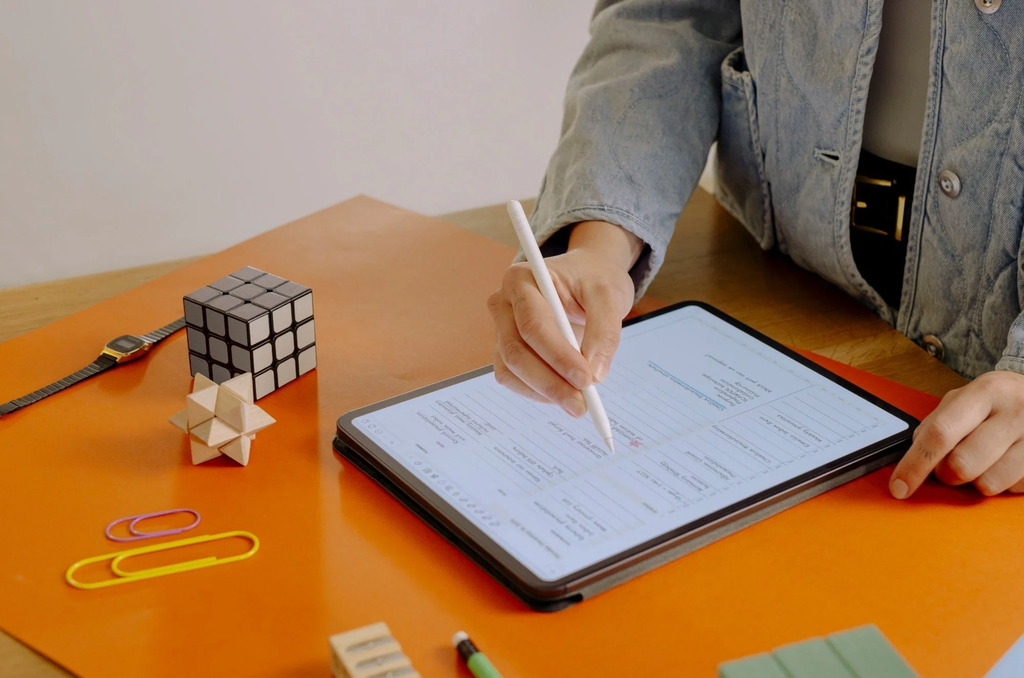
A digital annotation workflow can keep the comment connected to the exact part of the document being reviewed.
This simple idea can make document-heavy work easier and more organized.
Is AxelaNote a Note-Taking App?
The answer depends on how the term is being used.
AxelaNote is commonly associated with digital document annotation and PDF-based workflows. That makes it different from a traditional general-purpose note-taking application.
A basic notes application usually starts with an empty page. You type a thought, create a checklist, save a meeting note, or write down an idea.
AxelaNote is more closely connected to working with existing digital content.
For example, you might have a PDF report and want to:
- Highlight an important paragraph
- Add a comment
- Circle a problem
- Write a reminder
- Mark an area of a drawing
- Add a question
- Review a document
- Keep track of corrections
In that situation, the document itself becomes the center of the note-taking process.
This distinction is important because people searching for AxelaNote may have different expectations about what the product should do.
Why Digital Annotation Matters
Digital annotation may sound like a small feature, but it solves a common problem.
Information is often separated from the document that contains it.
Consider a manager reviewing a proposal.
The manager reads the proposal and writes comments in an email. The employee receives the email but now has to determine which comment applies to which section.
A second person may write additional feedback in another document.
Also Read: CJMonsoon: Complete Guide to the 360 Waves Hair Care and Streetwear Brand
Soon, the original file, emails, spreadsheets, and handwritten notes all contain pieces of the same conversation.
A document-centered annotation system can reduce this problem.
Instead of saying:
“Please check the number on page six.”
you can place the note beside the number.
That provides context immediately.
The goal is not to create more notes.
The goal is to create more useful notes.
How AxelaNote Can Support Organization
Good organization is not simply about putting everything into folders.
It is about making information easy to understand and easy to find when it matters.
AxelaNote can fit into this approach by keeping comments and document-related information connected.
For example, a project folder might contain:
- Original project documents
- Reviewed documents
- Meeting materials
- Reference files
- Annotated versions
- Follow-up information
Instead of keeping handwritten comments in a separate notebook, relevant feedback can remain connected to the document.
This creates a more natural workflow.
You open the document.
You see the information.
You understand the context.
You know what needs to happen next.
AxelaNote for Students
Students deal with a huge amount of digital information.
A single course can include textbooks, lecture slides, research papers, worksheets, assignments, presentations, and study guides.
Keeping all of that information organized can be challenging.
Digital annotation can make studying more active.
Instead of simply reading a PDF, a student can interact with it.
For example, a student can mark:
- Important definitions
- Main arguments
- Difficult concepts
- Questions
- Examples
- Formulas
- Key dates
- Topics to review
The student can also add short explanations in their own words.
This is important because writing a note forces the brain to process information rather than simply looking at it.
A Simple Study Method
A useful approach is to use three types of annotations:
- Important information
- Questions
- Personal explanations
For example:
“Photosynthesis uses light energy.”
A student might add:
“Need to remember the role of chlorophyll.”
That small note can become useful during exam preparation.
AxelaNote for Teachers
Teachers frequently need to review digital assignments.
Instead of printing every paper, marking it, scanning it, and sending it back, digital annotation can provide a more direct workflow.
A teacher might leave comments such as:
“Explain this point.”
“Add another example.”
“Check your calculation.”
“Good use of evidence.”
“Please revise this section.”
The advantage is that feedback stays close to the relevant part of the student’s work.
This can make feedback easier for students to understand.
It can also reduce unnecessary paper use.
AxelaNote for Business Documents
Businesses create and review documents constantly.
A typical employee may work with:
- Contracts
- Reports
- Forms
- Proposals
- Presentations
- Policies
- Procedures
- Invoices
- Project documents
- Technical files
Many of these documents require review rather than direct editing.
A manager may want to point out a problem without changing the original text.
A project leader may want to ask a question.
A reviewer may want to approve one section and request changes in another.
Digital annotation can help keep all of those comments connected to the document.
AxelaNote for Engineers and Designers
Technical drawings often contain precise information.
Changing the source document unnecessarily can create confusion.
A better approach for many review processes is to keep the original drawing intact and place review information on top.
For example, an engineer could mark:
- A measurement to confirm
- A component requiring attention
- A potential design issue
- A missing label
- A question for another team
- A requested revision
The same approach can be useful for architects, contractors, designers, and manufacturing teams.
The important principle is simple:
The original document remains the reference point, while the annotations explain what the reviewer wants to communicate.
AxelaNote for Remote Teams
Remote work has changed the way teams review documents.
A few years ago, employees might print a document, write comments on it, and hand it to another employee.
Today, many teams work from different cities, states, or countries.
Digital annotation makes it possible to perform much of this process without physical paper.
A team member can review a document digitally, add comments, save the work, and pass the annotated material to another person.
This can save time and reduce the need for printing.
It can also make remote collaboration more consistent.
AxelaNote and Paperless Work
Going paperless is not simply about saving trees.
Paper-based workflows often involve several additional steps.
A document may need to be:
- Printed
- Distributed
- Marked by hand
- Collected
- Scanned
- Renamed
- Stored
- Emailed
Digital annotation can remove several of these steps.
The document can stay digital from beginning to end.
This can be particularly useful for organizations that handle a large number of documents every day.
The Difference Between Notes and Tasks
One of the most useful productivity lessons is understanding the difference between information and action.
A note might say:
“Customer requested a revised proposal.”
A task would say:
“Send revised proposal to customer by Thursday.”
The first records information.
The second creates an action.
A good digital workflow should make it easy to move from notes to actions.
When reviewing documents, users can identify comments that require follow-up.
For example:
“Confirm delivery date.”
This can become:
“Ask logistics team to confirm delivery date.”
The result is a more organized workflow.
How to Create Better AxelaNote Workflows
The software itself is only part of the productivity process.
Your habits matter just as much.
A simple workflow can make a major difference.
Step 1: Start With the Original Document
Before adding notes, make sure you are working with the correct document.
If several versions exist, identify the latest approved version.
This prevents comments from being attached to outdated information.
Step 2: Review the Document
Read through the material before adding too many comments.
Understand the overall purpose.
This helps you avoid making unnecessary notes.
Step 3: Add Clear Annotations
Write notes that explain what you mean.
Instead of:
“Wrong.”
Write:
“Please confirm this figure with the latest sales report.”
The second version gives the next person something useful to do.
Step 4: Separate Questions From Instructions
A question and an instruction are different.
For example:
“Is this figure correct?”
is a question.
“Replace this figure with the approved amount.”
is an instruction.
Keeping the difference clear can reduce confusion.
Step 5: Review Your Notes
After finishing, read through your annotations.
Ask:
- Is every note necessary?
- Is every comment understandable?
- Did I identify the required action?
- Did I accidentally reveal private information?
- Are there duplicate comments?
- Did I miss anything important?
A five-minute review can greatly improve the quality of a document.
The Importance of Keeping Original Files Safe
One of the strongest reasons to use a separate annotation approach is protecting the original.
Imagine you receive an important document from a client.
You need to review it.
You do not want to accidentally overwrite it.
A separate annotation layer can provide a useful distinction between the source and your comments.
This is especially important for:
- Legal documents
- Financial documents
- Technical drawings
- Government forms
- Business agreements
- Research materials
- Official records
However, users should still maintain proper backups.
A separate annotation system is not a replacement for document-management policies.
AxelaNote and Version Management
Document versions can become confusing very quickly.
Consider these filenames:
Project.pdf
Project-new.pdf
Project-final.pdf
Project-final2.pdf
Project-final-final.pdf
This is a common problem.
A better naming system includes useful information.
For example:
Project_Proposal_2026-09-07.pdf
The exact format is less important than consistency.
When a document changes, the team should know:
- Which version is current
- Who created it
- When it was updated
- What changed
- Which annotations belong to which version
A good document workflow makes these questions easy to answer.
Why Annotation History Can Be Valuable
When several people review the same document, history matters.
Imagine a project document reviewed by three employees.
The first person identifies a problem.
The second person answers the question.
The third person approves the correction.
If all of this information is stored separately, reconstructing the process later can be difficult.
When review information remains associated with the document, the history can be easier to understand.
This can be especially valuable in professional environments where teams need to explain how a decision was made.
AxelaNote for Government and Administrative Work
Government offices often handle large amounts of paperwork.
Many documents require review by multiple people.
Examples include:
- Applications
- Planning documents
- Budget materials
- Internal reports
- Technical documents
- Public records
- Administrative forms
A digital annotation workflow can help reduce repetitive printing and scanning.
It can also make review processes easier to track.
However, government users should always consider their organization’s security, retention, accessibility, and records-management requirements before adopting any software.
AxelaNote and Confidential Information
Digital productivity tools often deal with sensitive information.
This means privacy should be considered before adding documents to any application.
Sensitive information may include:
- Names
- Addresses
- Phone numbers
- Financial details
- Employee information
- Customer information
- Business plans
- Contract information
- Internal company data
Before using AxelaNote or any similar tool for sensitive documents, organizations should understand how files are stored, where they are processed, who can access them, and how backups are handled.
The safest approach is to follow your organization’s data-security policy.
Is AxelaNote Safe?
No software should be described as universally safe for every situation.
Safety depends on the software version, device, configuration, user behavior, and type of information being handled.
Users should download applications from trusted sources and keep their operating system updated.
They should also use strong account security where applicable and avoid opening unknown files.
For business users, the evaluation should go further.
IT teams may need to review:
- Data storage
- Network behavior
- Access controls
- Backup procedures
- Licensing
- Privacy requirements
- Security policies
- Employee permissions
The right question is not simply “Is AxelaNote safe?”
A better question is:
“Is AxelaNote appropriate and secure for the information and workflow we plan to use it for?”
Privacy Tips for Digital Notes
Even when a tool is appropriate, users can still make privacy mistakes.
Avoid adding unnecessary personal information to comments.
For example, instead of writing a customer’s full private details in an annotation, write a short reference that authorized team members understand.
Also remember that annotations can become part of a shared file.
Before sending an annotated document to someone outside your organization, review every comment.
A private internal note could accidentally be sent to a customer.
That simple mistake can create a serious privacy problem.
Common AxelaNote Mistakes
Using Too Many Notes
More annotations do not automatically create better organization.
A page covered in comments can become difficult to read.
Only add information that has a purpose.
Writing Unclear Comments
Avoid comments such as:
“Check.”
“Fix.”
“Important.”
These words do not explain what should happen.
Write enough information for another person to understand the issue.
Forgetting the Original
Always maintain an appropriate copy of important source files.
Mixing Personal and Professional Information
Keep personal notes separate from business documents whenever possible.
Ignoring File Names
A good annotation system cannot compensate for completely disorganized files.
Use clear filenames and folders.
Also Read: Toastul: Meaning, Origins, Uses, Food Trend, and What You Should Know
AxelaNote vs. Traditional Paper Notes
Paper still has advantages.
Some people think better when writing by hand.
Others enjoy the physical process of highlighting and underlining.
But paper can create practical problems.
It can be:
- Lost
- Damaged
- Difficult to search
- Difficult to share
- Expensive to reproduce
- Difficult to back up
Digital annotation offers different advantages.
A digital document can be stored, copied, searched, backed up, and shared much more easily.
The best choice depends on the situation.
AxelaNote vs. General Note-Taking Applications
General note-taking tools are excellent for free-form information.
You can create a blank page and write anything you want.
This is useful for:
- Personal notes
- Journals
- Brainstorming
- To-do lists
- Meeting notes
- Ideas
- Planning
Document annotation has a different purpose.
Instead of starting with a blank page, you start with an existing file.
That makes it particularly useful when the document itself is the main focus.
How to Build a Better Digital Organization System
AxelaNote can be part of a larger productivity system.
A simple system can have four categories:
Capture
Record new ideas and information quickly.
Organize
Place information where it belongs.
Review
Regularly look through notes and documents.
Act
Turn important information into tasks.
This system works because it prevents information from becoming passive clutter.
A note should either help you understand something, remember something, or do something.
A Practical Daily Workflow
Here is a simple daily routine for document-heavy work.
Morning
Review important documents and identify priority tasks.
During Work
Add notes directly to relevant documents instead of keeping unrelated scraps of information.
Before Lunch
Review important comments and turn urgent issues into tasks.
Afternoon
Complete document reviews and update notes.
End of Day
Check unresolved items.
Make sure important files are saved correctly.
Record what needs to happen tomorrow.
This routine can take only a few minutes but can significantly reduce mental clutter.
How AxelaNote Can Help Reduce Paper Waste
Printing documents for every review creates unnecessary paper consumption.
It also creates costs related to:
- Paper
- Ink
- Printers
- Storage
- Scanning
- Physical filing
A digital annotation workflow can reduce the number of physical copies required.
For organizations that review thousands of pages each month, even a small reduction in printing can make a noticeable difference.
Is AxelaNote Good for Businesses?
AxelaNote may be useful for businesses that regularly review documents, particularly when preserving the original file is important.
Potential users include:
- Construction companies
- Engineering firms
- Architecture teams
- Schools
- Training organizations
- Administrative departments
- Manufacturing businesses
- Government offices
- Consulting firms
- Research organizations
However, companies should evaluate software based on their specific needs.
Consider:
- Number of users
- Document volume
- File types
- Security requirements
- Collaboration needs
- Existing software
- IT support
- Budget
- Compliance requirements
A useful tool for one organization may not be the best choice for another.
What to Look for Before Choosing AxelaNote
If you are considering AxelaNote, ask several practical questions.
Does it support the documents you use every day?
Does it work with your operating system?
Can your team learn it easily?
Can you protect sensitive documents?
Can you maintain backups?
Does it fit your company’s document workflow?
Can users export or share their work in the formats they need?
Does the licensing model match your budget?
These questions are more valuable than simply asking whether an application has many features.
The Future of Digital Note-Taking
Digital note-taking is becoming more sophisticated.
Modern productivity tools increasingly connect documents, notes, tasks, search, and collaboration.
Artificial intelligence is also changing how people work with information.
In the future, users may expect software to help them find related information, summarize documents, identify outstanding tasks, and connect notes automatically.
However, technology does not eliminate the need for good organization.
A tool can only help if users create useful information in the first place.
Clear notes will remain valuable even as software becomes smarter.
How to Write Better Digital Notes
Good notes are:
- Clear
- Short
- Specific
- Relevant
- Easy to understand
- Connected to context
Instead of writing:
“Meeting issue.”
Write:
“Client needs the revised delivery schedule before Friday.”
Instead of:
“Change this.”
Write:
“Replace the old pricing figure with the approved Q3 amount.”
Specific notes reduce follow-up questions.
AxelaNote and Better Productivity
Productivity is not about doing more work every minute.
It is about reducing unnecessary work.
A well-designed document workflow can reduce:
- Repeated printing
- Manual copying
- Searching for comments
- Rewriting feedback
- Confusion between document versions
- Lost notes
- Unclear instructions
That is where a digital annotation approach becomes useful.
The real benefit is not the annotation itself.
The benefit is a smoother process.
Who Can Benefit Most From AxelaNote?
AxelaNote may be particularly useful for people who spend a large part of their day reviewing digital documents.
This includes:
- Students
- Teachers
- Engineers
- Architects
- Designers
- Managers
- Editors
- Researchers
- Administrators
- Project teams
People who rarely work with PDFs or document reviews may not need a specialized annotation workflow.
Also Read: Tribupneu: Complete Guide to Its Meaning, History, and Online Presence
The right tool depends on the work.
Frequently Asked Questions About AxelaNote
What is the main purpose of AxelaNote?
AxelaNote is associated with digital document annotation and organization. Its most useful role is helping users add comments, notes, markings, and other review information to digital documents while keeping the original material separate from the added information.
Can AxelaNote be used for personal productivity?
Yes, depending on the features and version available to the user. It can be useful for organizing document-based information, reviewing personal materials, studying, planning, and keeping comments connected to files.
Is AxelaNote suitable for students?
It can be useful for students who work heavily with PDFs, digital textbooks, research papers, lecture materials, or worksheets. Students can use annotations to identify important information and record questions or explanations.
Can AxelaNote replace a project-management application?
Not necessarily. Document annotation and project management solve different problems. AxelaNote can help identify issues and actions inside documents, but users who need advanced project planning may still require a dedicated project-management solution.
How can businesses use AxelaNote effectively?
Businesses can use a document-annotation workflow for reviewing reports, forms, drawings, proposals, policies, and other files. The best results come from combining annotation with clear file naming, version control, backups, privacy practices, and defined review procedures.
Final Thoughts on AxelaNote
AxelaNote represents an important idea in modern digital work: information is often more useful when it stays connected to the document or situation where it belongs.
A note written in isolation may be easy to forget.
A comment placed next to the exact section that needs attention has immediate meaning.
That difference can improve document reviews, education, business communication, project work, and everyday organization.
The biggest advantage of a digital annotation workflow is not simply replacing a pen and paper. It is creating a more organized relationship between documents, notes, feedback, and actions.
For students, this can make digital learning more interactive.
For teachers, it can simplify feedback.
For businesses, it can make document reviews easier to manage.
For engineers and designers, it can provide a practical way to discuss technical files without unnecessarily changing the source.
For remote teams, it can reduce dependence on printed documents and disconnected messages.
At the same time, users should approach any productivity software realistically. AxelaNote should be evaluated according to the features actually available, the user’s operating environment, security requirements, document types, collaboration needs, and overall workflow.
The most effective productivity system is not the one with the most features. It is the one that helps people find information, understand it, communicate clearly, and take the right action at the right time.
When used with a thoughtful organization system, digital annotation can turn documents from static files into active working materials. That is the real value behind the AxelaNote concept.