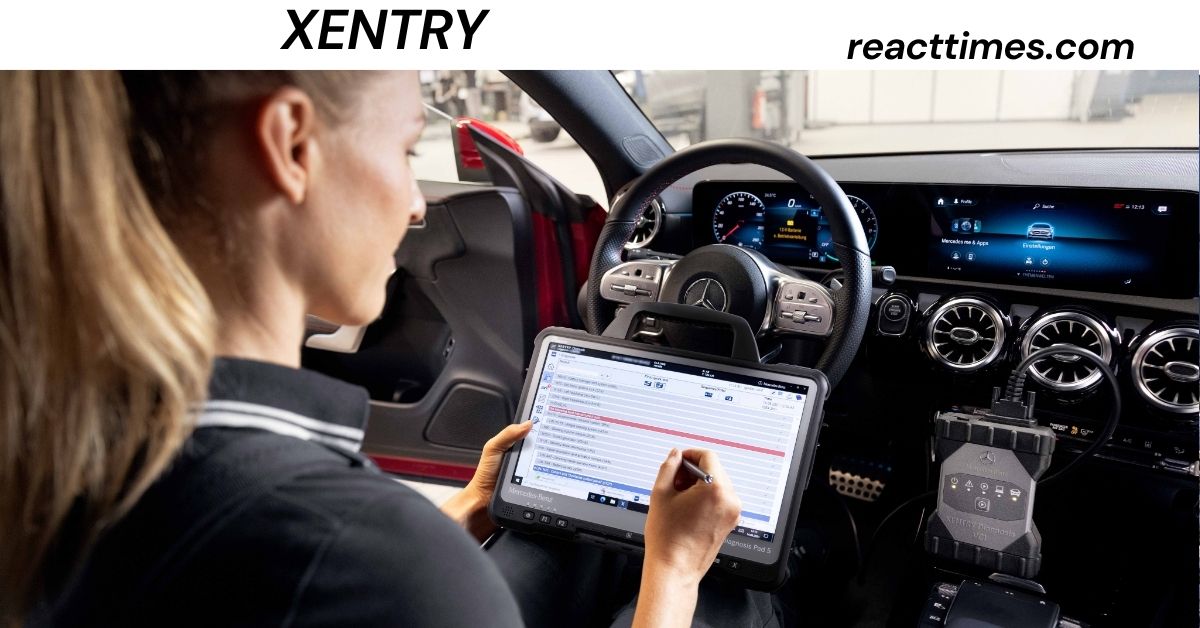
If you own, service, or repair a Mercedes-Benz vehicle, you may have heard the term “xentry” many times. For professional workshops, independent repair shops, and automotive technicians, xentry is much more than a simple code reader. It is part of the Mercedes-Benz diagnostic ecosystem used to communicate with vehicle control units, identify faults, perform guided diagnostics, configure systems, update control-unit software, and support advanced repair procedures.
Modern Mercedes-Benz vehicles rely on dozens of electronic control units. A vehicle may have separate systems for the engine, transmission, brakes, steering, airbags, body electronics, lighting, infotainment, driver assistance, battery management, and many other functions. When something goes wrong, a basic OBD scanner may identify a fault code, but understanding the real cause often requires deeper access to the vehicle’s diagnostic systems.
That is where xentry becomes important.
Mercedes-Benz continues to develop its diagnostic platform as vehicle technology changes. The current product family includes solutions such as XENTRY Diagnosis Kit 5, XENTRY Diagnosis Lite, XENTRY Pass Thru EU, XENTRY Remote Diagnosis, XENTRY Scope, XENTRY WIS, XENTRY Tips, and related workshop applications. Mercedes-Benz describes XENTRY Diagnosis Kit 5 as the successor to the previous XENTRY Diagnosis Kit 4, with the Kit 4 no longer available for new orders from January 2026 in the referenced Mercedes-Benz market information.
For a US audience, one important point should be made immediately: not every XENTRY product has the same geographic availability, eligibility rules, vehicle coverage, or hardware requirements. For example, Mercedes-Benz states that XENTRY Pass Thru EU and XENTRY Diagnosis Lite are limited to eligible businesses in specified European markets. Therefore, US repair businesses should verify current availability and purchasing requirements through the appropriate Mercedes-Benz commercial channel instead of assuming that a European XENTRY product can simply be purchased and used in the United States.
This guide explains xentry in simple language while going beyond a basic product description. It covers what xentry is, what it does, how the hardware and software work together, the differences between major XENTRY solutions, the role of coding and programming, online access, security, electric vehicles, common mistakes, buying considerations, and what independent workshops should think about before investing.
What Is XENTRY?
XENTRY is the name used for Mercedes-Benz’s professional vehicle diagnostic ecosystem. It provides specialized software, communication hardware, diagnostic data, and workshop functions designed to work with Mercedes-Benz vehicles.
At the most basic level, think of xentry as a communication system between a technician and the electronic systems inside a Mercedes-Benz vehicle.
A technician connects suitable XENTRY hardware to the vehicle. The diagnostic software communicates with the vehicle’s control units. Depending on the technician’s permissions, vehicle model, software version, and diagnostic setup, the system can read information, perform tests, identify faults, guide troubleshooting, and carry out certain programming or configuration operations.
This makes xentry very different from a general-purpose OBD scanner.
A basic scanner might say that a particular control unit has stored a fault code. XENTRY can potentially provide much more context around that fault, including diagnostic procedures and access to vehicle-specific functions.
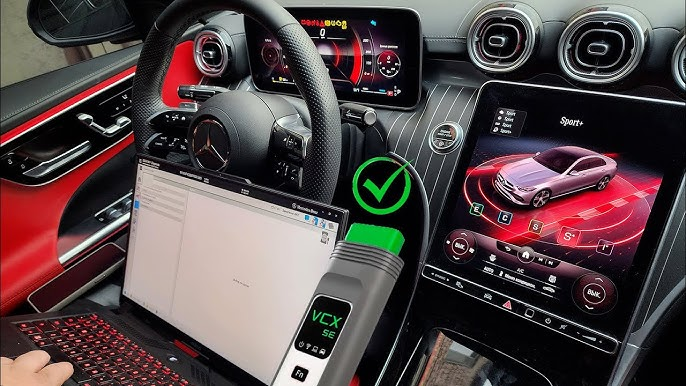
Mercedes-Benz describes its current XENTRY Diagnosis solutions as professional workshop systems. The XENTRY Diagnosis Kit 5 combines a diagnostic computer called the XENTRY Diagnosis Pad 5 with an XENTRY Diagnosis VCI, which acts as the communication interface between the diagnostic computer and vehicle.
The important idea is that XENTRY is not just one application or one physical scanner. It is an ecosystem.
Why XENTRY Matters for Mercedes-Benz Diagnostics
Mercedes-Benz vehicles have become increasingly dependent on software and networked electronic systems.
A modern vehicle can contain many interconnected control units. A problem that appears to be mechanical may sometimes involve electronic control, sensor information, software configuration, or communication between modules.
For example, suppose a vehicle has a warning light on the dashboard.
A generic scan tool may retrieve a code.
That is useful, but a professional technician needs to answer a bigger question:
Why did the system create the fault?
A code is evidence, not necessarily the final diagnosis.
XENTRY can help technicians move from fault-code identification toward a structured diagnostic process. Depending on the vehicle and available functions, the technician may be able to examine actual values, activate components, perform guided tests, check control-unit information, and follow vehicle-specific diagnostic procedures.
This is one reason manufacturer-level diagnostic systems are valuable.
The best diagnostic equipment does not replace technician knowledge. Instead, it gives the technician better information.
That distinction is important.
A technician who understands electrical systems, vehicle networks, mechanical systems, and diagnostic logic can use XENTRY much more effectively than someone who simply expects the software to tell them what part to replace.
Also Read: Placque: Everything You Need to Know
How XENTRY Works
A typical XENTRY diagnostic process involves several components.
The first component is the diagnostic computer.
The second is the vehicle communication interface, commonly called a VCI or multiplexer in XENTRY terminology.
The third is the vehicle itself.
The fourth is the online backend and diagnostic information that supports the software.
The fifth is the technician.
All five matter.
The computer runs the diagnostic application. The VCI communicates with the vehicle’s electronic network. The software interprets the information and provides diagnostic functions. Online systems can provide current authorization, application information, vehicle data, software, or other services depending on the product.
This structure explains why purchasing a random “XENTRY laptop” from an unofficial seller can be risky. A laptop alone does not create a legitimate factory diagnostic environment.
A proper system involves hardware compatibility, software licensing, authorization, updates, vehicle communication, and user permissions.
XENTRY Diagnosis Kit 5
XENTRY Diagnosis Kit 5 is one of the most important current XENTRY hardware solutions.
Mercedes-Benz presents it as the successor to the previous generation and describes it as a professional diagnostic system consisting of the XENTRY Diagnosis Pad 5 and XENTRY Diagnosis VCI. The current product information highlights a newer-generation processor, SSD storage, a 14-inch matte display, rugged construction, USB-C connections, and multiple wireless communication capabilities.
The design reflects an important reality in modern workshops: diagnostic equipment needs to work both as a computer and as a vehicle communication tool.
The diagnostic pad allows technicians to move around the workshop and vehicle.
The VCI provides the communication bridge.
The combination is designed for professional diagnostic work across Mercedes-Benz model ranges.
Mercedes-Benz also states that the Kit 5 uses Windows 11 and includes the diagnostic software and operating tools as part of the system.
One useful improvement in newer diagnostic hardware is speed.
Programming and diagnostic work can involve large amounts of data. A slow computer can waste technician time. Faster storage, improved processors, and better wireless connections therefore have practical value beyond marketing specifications.
What Happened to XENTRY Diagnosis Kit 4?
XENTRY Diagnosis Kit 4 was an important previous-generation system.
Mercedes-Benz documentation states that XENTRY Diagnosis Kit 4 would no longer be available for order from January 2026 and identifies XENTRY Diagnosis Kit 5 as its successor.
This distinction matters for people researching XENTRY online because older websites, marketplace listings, videos, and forum discussions may continue to describe Kit 4 as though it were the newest system.
That information may have been correct when published, but it does not necessarily describe the current product situation.
Anyone considering a new professional XENTRY system should pay close attention to the date of the information.
This is especially important when buying used equipment. A used Kit 4 may still have value in some circumstances, but it should not automatically be treated as the current factory solution.
XENTRY Diagnosis Lite
XENTRY Diagnosis Lite is designed for independent workshops that want Mercedes-Benz diagnostic capability using a standard PC.
According to Mercedes-Benz information, the system includes an XENTRY Diagnosis VCI for communication with the vehicle and provides a broad diagnostic scope. Functions described by Mercedes-Benz include quick tests, basic diagnosis, commissioning, flashing, coding, parameterization, fault-memory operations, guided diagnosis, functional diagnosis, repair forecasting, and certain key-programming services.
Mercedes-Benz also states that XENTRY Diagnosis Lite can diagnose all control units across model series from 2004 under its supported XENTRY and DAS coverage, with HHTWIN excluded.
However, there is a major geographic limitation for US readers.
Mercedes-Benz’s published XENTRY Diagnosis Lite information states that it is available only to eligible users with business locations in the European Union and certain associated countries, including the United Kingdom, Switzerland, Norway, Iceland, and Liechtenstein.
Therefore, an American workshop should not assume that XENTRY Diagnosis Lite is an available US purchasing option simply because it appears on a Mercedes-Benz European website.
XENTRY Pass Thru EU
XENTRY Pass Thru EU is another XENTRY option aimed at independent market participants.
The concept is useful because it allows the genuine Mercedes-Benz diagnostic software to operate on a standard workshop PC with a commercially available Pass Thru device.
Mercedes-Benz describes XENTRY Pass Thru EU as providing almost the full diagnostic scope, including quick testing, basic diagnostics, control-unit flashing and coding, fault-memory reading and clearing, and guided and functional diagnosis, subject to limitations imposed by the Pass Thru hardware.
The word “EU” is extremely important.
Mercedes-Benz states that XENTRY Pass Thru EU is available only in the specified European markets and is not an EU-wide product that can simply be ordered by a company outside those markets.
For US workshops, this is a good example of why online searches can create confusion.
A search engine may show a product page.
That does not mean the product is available for your business location.
Always check the current regional Mercedes-Benz B2B Connect portal and eligibility rules before making a purchase.
XENTRY Diagnosis vs. Generic OBD Scanners
The biggest difference between XENTRY and a generic OBD scanner is depth.
Generic scanners are useful for many everyday diagnostic jobs.
They can be excellent for checking common engine and emissions faults, reading trouble codes, monitoring data, and performing basic service functions.
But manufacturer-level diagnostics can go much further.
XENTRY is designed specifically around Mercedes-Benz systems.
This can provide advantages such as:
Vehicle-specific diagnostic procedures
Control-unit identification
Guided troubleshooting
Actual-value analysis
Component activation
Coding functions
Programming and flashing where authorized
Advanced commissioning procedures
Vehicle-specific diagnostic information
Integration with other Mercedes-Benz workshop systems
The exact functions depend on the vehicle, model year, software version, region, user rights, and XENTRY product being used.
This is an important qualification.
No diagnostic tool should be described as having exactly the same capabilities on every Mercedes-Benz vehicle.
Vehicle technology changes rapidly.
Fault Codes and Why They Should Not Be Treated as Final Answers
One of the biggest mistakes in automotive diagnostics is assuming that a fault code automatically identifies the failed component.
It often does not.
A control unit may report a sensor signal outside the expected range. That does not necessarily mean the sensor itself has failed.
The problem could be:
A damaged wire
Poor electrical connection
Low system voltage
A communication problem
A power or ground problem
A mechanical problem
A software issue
A network problem
Another control unit sending incorrect information
This is why XENTRY’s guided diagnostic functions can be valuable.
The objective should be to test the fault logically instead of replacing parts based only on a code.
A good technician asks:
What condition caused the code?
Can the fault be reproduced?
What are the actual values?
Does the wiring test correctly?
Does the component respond to an activation test?
Is the control unit communicating correctly?
Does the vehicle meet the conditions required for the test?
This mindset saves money and prevents unnecessary repairs.
Coding, Programming, and Parameterization
Coding and programming are often confused.
They are related but not identical.
Coding generally refers to configuring a control unit or vehicle system so that it operates according to a particular vehicle configuration.
Programming or flashing can involve installing software or firmware into a control unit.
Parameterization can involve setting values or configurations required for a vehicle or control unit.
These procedures can be powerful.
They can also be risky.
If power is interrupted during a control-unit programming operation, if the wrong software is selected, or if required conditions are not met, the vehicle may experience additional problems.
That is why professional technicians should treat programming functions differently from basic code reading.
A diagnostic session can be relatively low risk.
A programming session may require careful battery support, stable communication, correct vehicle identification, a reliable internet connection, and proper user authorization.
Why Stable Power Is So Important
When diagnosing a modern Mercedes-Benz, battery condition matters.
This becomes even more important during programming.
Electronic control units need stable electrical power. If vehicle voltage falls too low during a critical operation, communication can be interrupted.
A workshop should therefore use appropriate power-support equipment when required by the procedure.
This is a practical lesson that sometimes gets overlooked in online XENTRY discussions.
The diagnostic computer may have excellent specifications, but the vehicle’s electrical supply is still part of the diagnostic system.
Think of the complete setup as:
Technician + vehicle + battery support + VCI + computer + software + internet + authorization.
If one part is unreliable, the entire operation can become unreliable.
XENTRY and DoIP
Modern vehicles increasingly use Ethernet-based vehicle communication.
One important technology is Diagnosis over Internet Protocol, commonly shortened to DoIP.
DoIP allows diagnostic communication over Ethernet rather than relying only on older vehicle communication methods.
This can provide higher data-transfer performance and is increasingly relevant as vehicles become more software-intensive.
Mercedes-Benz specifically notes that DoIP support can depend on the Pass Thru device used with XENTRY Pass Thru EU. The company also provides specific guidance for pure DoIP model series and compatible adapters.
This is another reason not to buy a communication interface based only on the word “J2534” or “Pass Thru.”
The hardware may technically meet a general standard but still lack the capabilities needed for a particular Mercedes-Benz vehicle or diagnostic procedure.
XENTRY and Electric Vehicles
Electric Mercedes-Benz vehicles introduce another layer of diagnostic complexity.
There is no traditional engine in a battery-electric vehicle, but there are still many electronic systems.
An electric vehicle can contain systems for:
High-voltage battery management
Battery monitoring
Electric drive units
Charging
Thermal management
Power electronics
Low-voltage electrical systems
Vehicle networking
Safety systems
Driver assistance
Infotainment
Body electronics
The diagnostic approach therefore changes.
Technicians working on high-voltage systems must have the appropriate training, safety procedures, equipment, and authorization.
XENTRY can provide important electronic diagnostic information, but diagnostic software does not replace high-voltage safety training.
This is one area where professional knowledge matters more than having an expensive scanner.
XENTRY Remote Diagnosis
Mercedes-Benz also offers XENTRY Remote Diagnosis for certain supported vehicles and market participants.
The concept is different from traditional workshop diagnostics.
Instead of requiring every diagnostic task to happen with the vehicle physically connected to a workshop computer, remote diagnostic technology can use vehicle connectivity to support certain diagnostic functions.
Mercedes-Benz describes XENTRY Remote Diagnosis as an application that allows independent market participants to use diagnostic functions for telematics-capable Mercedes-Benz vehicles.
This reflects a major trend in automotive repair.
Vehicles are becoming connected computers on wheels.
As connectivity improves, some diagnostic and support activities can increasingly be performed remotely.
However, remote diagnostics does not mean that every repair can be completed remotely. Physical inspection, testing, component replacement, mechanical repair, calibration, and safety procedures may still require the vehicle to be in a workshop.
XENTRY WIS, XENTRY Tips, and Related Information
XENTRY works within a wider Mercedes-Benz workshop ecosystem.
Diagnostics alone are not enough.
A technician also needs repair information.
Mercedes-Benz provides related applications and information systems such as XENTRY WIS, XENTRY Tips, XENTRY Parts Information, and XENTRY Operation Time among other services. Mercedes-Benz’s current B2B Connect information lists these applications as part of its workshop ecosystem.
This leads to an important insight:
The strongest diagnostic workflow is not simply “connect scanner and read code.”
A professional workflow looks more like:
Identify the customer complaint.
Verify the symptom.
Perform an initial vehicle scan.
Review relevant fault information.
Analyze actual values and system behavior.
Follow diagnostic procedures.
Consult repair information.
Determine the root cause.
Repair the vehicle.
Perform required coding or commissioning.
Clear and verify faults.
Conduct a final test.
Document the work.
This is much closer to professional diagnosis than simply reading codes.
XENTRY Updates
Software-based vehicle diagnostics must stay current.
Mercedes-Benz provides update-related services for XENTRY systems.
The reason is simple.
Vehicles change.
New control-unit software is released. New vehicle models are introduced. Diagnostic procedures evolve. Security systems change. New functions become available.
Mercedes-Benz describes its XENTRY Update Service and Retail Data Storage as systems intended to keep diagnostic systems and control-unit software information current.
For a workshop, updates are not just a convenience.
They can affect productivity.
Outdated software may create compatibility problems, missing functions, or incorrect expectations about a newer vehicle.
A professional shop should therefore include software maintenance in its diagnostic equipment budget.
XENTRY Security and Multi-Factor Authentication
Modern diagnostic platforms must also protect vehicle systems.
Manufacturer diagnostic software can provide access to powerful functions. That means security is essential.
Mercedes-Benz highlights multi-factor authentication as a security feature for XENTRY applications.
The broader trend in automotive repair is clear: access to diagnostic functions is becoming more controlled.
This is not simply about preventing unauthorized software use.
Modern vehicles contain safety-critical systems and increasingly valuable digital assets.
A diagnostic account can potentially provide access to functions that should not be used casually.
For workshops, this means login credentials should be treated as professional security credentials.
Do not share accounts casually.
Do not use suspicious software.
Do not disable security protections simply because an unofficial tool claims it will make the software “work faster.”
The safest approach is to use legitimate software, approved hardware, current updates, and the correct authorization.
Is XENTRY Easy to Use?
The software is designed for professional workshops, but that does not mean a beginner can immediately perform every operation safely.
Basic tasks can be relatively straightforward.
Advanced diagnostic work is not.
There is a difference between operating a tool and understanding diagnostics.
Someone can learn where to click while still misunderstanding what the results mean.
For example, XENTRY may display an actual value.
The technician must decide whether the value is reasonable.
The software can perform an activation test.
The technician must interpret the response.
The software can identify a communication fault.
The technician must determine whether the cause is a module, wire, connector, power supply, network issue, or another problem.
This is why XENTRY is best viewed as a professional diagnostic assistant rather than an automatic mechanic.
Who Should Use XENTRY?
XENTRY is most useful for:
Mercedes-Benz dealerships
Independent Mercedes-Benz specialists
Professional European-car repair shops
Automotive diagnostic technicians
Fleet service operations
Specialist workshops working on Mercedes-Benz vehicles
Advanced automotive electricians
Repair businesses that regularly service newer Mercedes-Benz vehicles
It may be unnecessary for someone who owns one older Mercedes-Benz and only wants to perform occasional basic code reading.
A lower-cost diagnostic scanner may be enough for basic maintenance and troubleshooting.
However, once a repair shop frequently encounters advanced Mercedes-Benz electrical problems, coding, programming, commissioning, or manufacturer-specific diagnostics, professional-level equipment becomes much more valuable.
XENTRY for Independent Repair Shops
Independent shops often face a difficult decision.
Should they buy manufacturer-level equipment?
The answer depends on business volume.
If a shop sees one Mercedes-Benz every few months, a full professional XENTRY investment may not be financially attractive.
If the shop works on Mercedes-Benz vehicles every day, the calculation changes.
The shop can potentially save time.
It can reduce dependence on dealerships.
It can diagnose problems more accurately.
It can perform certain advanced procedures internally.
It can improve customer confidence.
It can also create a new revenue opportunity by offering specialized Mercedes-Benz diagnostics to other repair businesses.
The best investment decision should therefore be based on expected usage rather than the prestige of owning factory equipment.
How Much Does XENTRY Cost?
There is no single universal “XENTRY price.”
Cost depends on the product, region, hardware, contract, software access, diagnostic time credits, services, accessories, and user eligibility.
Mercedes-Benz documentation shows that some XENTRY solutions use subscription or annual user fees and may also use time-based diagnostic credits. XENTRY Pass Thru EU, for example, requires online access and checks available diagnostic time credits when diagnosis is started.
This is important when comparing XENTRY with a cheap aftermarket scanner.
A $300 scanner and a professional manufacturer diagnostic system are not necessarily competing products.
The professional system may have higher ownership costs because it provides access to a much deeper diagnostic environment.
A smart buyer should calculate total cost of ownership rather than only the purchase price.
Consider:
Hardware
Software subscription
Diagnostic credits
Updates
Internet requirements
Battery-support equipment
VCI replacement cost
Accessories
Training
Technician time
Support
Potential repair revenue
Should You Buy Used XENTRY Equipment?
Used equipment can be tempting.
A used diagnostic system may cost much less than a new professional system.
But there are risks.
A buyer should verify:
The exact hardware model
Whether the hardware is genuine
Current software status
License status
Contract status
Hardware ID restrictions
VCI condition
Battery condition
Display condition
Included cables
Regional eligibility
Availability of official support
Whether the seller is authorized to transfer ownership or access
This is especially important because XENTRY systems can involve account-based access and hardware-specific authorization.
Mercedes-Benz documentation specifically notes that changing the computer for products such as XENTRY Pass Thru EU or XENTRY Diagnosis Lite can require the hardware ID associated with the StartKey to be changed.
Also Read: adstotally.com: A Complete Guide to the Advertising, Marketing, and Business Content Platform
A cheap used computer is therefore not necessarily a complete working XENTRY system.
Why Cheap “XENTRY Clone” Systems Are Risky
Online marketplaces often contain products marketed as XENTRY-compatible or factory-style systems.
Some may be legitimate used equipment.
Others may involve unauthorized software, modified applications, counterfeit hardware, or outdated data.
The problem is not only legality or licensing.
There are technical risks.
Modified diagnostic software can contain malware.
Old software may not support newer vehicles.
Unauthorized programming functions can create vehicle problems.
A counterfeit VCI may communicate unreliably.
There may be no official support.
Security credentials may be compromised.
For professional repair shops, these risks can easily cost more than the money saved.
A legitimate diagnostic setup is an investment in reliability.
XENTRY System Requirements
Exact requirements depend on the XENTRY product.
For example, Mercedes-Benz documentation for XENTRY Diagnosis Lite specifies a Windows-compatible PC, Windows 10 64-bit or Windows 11 64-bit, at least 8 GB RAM with 16 GB recommended, at least 150 GB of available drive space, a compatible browser, and broadband internet.
These specifications should not automatically be applied to every XENTRY product.
A dedicated XENTRY Diagnosis Kit has its own hardware configuration.
The general lesson is simple:
Do not build a diagnostic computer based on an old online tutorial.
Check the current official requirements for the exact XENTRY product you plan to use.
Internet Connection and XENTRY
Online connectivity is increasingly important.
Some XENTRY products require online access to authenticate the user, retrieve diagnostic content, verify rights, or access current services.
Mercedes-Benz explicitly states that XENTRY Pass Thru EU and XENTRY Diagnosis Lite are online diagnostic solutions and cannot simply operate normally without the required online connection and authorization checks.
For a professional shop, this means internet reliability should be treated as part of the diagnostic infrastructure.
A workshop with unstable internet may experience delays during important procedures.
It is also wise to have a backup connectivity option when practical.
Common XENTRY Problems
Technicians may encounter issues such as:
Software installation errors
StartKey problems
Hardware ID changes
VCI connection problems
Wi-Fi communication problems
USB connection problems
DoIP communication problems
Expired diagnostic credits
Authorization problems
Internet connectivity issues
Control-unit programming interruptions
Outdated software
Windows configuration problems
Incorrect vehicle identification
The best response is not to immediately reinstall everything.
Start with the basics.
Check the vehicle battery.
Check the cables.
Check the VCI connection.
Check the computer’s network connection.
Check user authorization.
Check the software version.
Check whether the vehicle supports the selected function.
Check whether the problem is product-specific or vehicle-specific.
Mercedes-Benz provides support processes for XENTRY problems. Its workshop FAQ instructs users encountering certain diagnosis-session problems to raise a case through the XENTRY Diagnosis application, while installation or update issues with products such as XENTRY Pass Thru EU and XENTRY Diagnosis Lite can be submitted through the relevant support tools.
XENTRY and Mercedes-Benz Older Vehicles
One common misunderstanding is that newer XENTRY systems are only for new vehicles.
That is not always true.
Certain XENTRY variants can support older Mercedes-Benz vehicles.
For example, Mercedes-Benz states that XENTRY Diagnosis Lite provides diagnostic coverage for model series from 2004 under its specified XENTRY and DAS coverage, although this does not mean every historical Mercedes-Benz vehicle or every legacy system is supported.
This distinction matters because Mercedes-Benz has used different diagnostic technologies over its history.
Older vehicles may require different procedures, communication interfaces, or legacy systems.
Therefore, compatibility should always be checked by model series and system rather than by vehicle brand alone.
XENTRY and Key Programming
Key programming is one of the most sensitive areas of automotive diagnostics.
Mercedes-Benz documentation for XENTRY Diagnosis Lite identifies key-programming and certain FBS4 services among supported functions.
However, access to security-related functions can require additional authorization and eligibility.
This is a good example of why XENTRY should not be treated like a consumer app.
Security-related vehicle functions are intentionally controlled.
A legitimate workshop should follow Mercedes-Benz authorization, identity, security, and procedural requirements rather than relying on unofficial shortcuts.
XENTRY for Modern Software-Defined Vehicles
The future of XENTRY is closely connected to the broader transformation of automobiles.
Cars are becoming more software-driven.
Features that once depended mostly on mechanical components now depend heavily on software.
Driver assistance systems require calibration and electronic communication.
Infotainment systems receive software updates.
Charging systems require software control.
Electric vehicles rely on sophisticated battery-management systems.
Vehicle networking is becoming faster.
Cybersecurity is becoming more important.
This means automotive technicians are increasingly becoming part mechanic, part electrical technician, and part software diagnostician.
XENTRY fits directly into this transition.
The future technician will need to understand not just “what part failed,” but also how data moves through the vehicle.
A Better Way to Think About XENTRY
Instead of thinking about xentry as a scanner, think about it as a diagnostic information platform.
That difference changes how you use it.
A scanner asks:
“What codes are stored?”
A diagnostic platform helps you ask:
“What is the vehicle doing?”
“Why is it doing it?”
“What conditions caused the fault?”
“What tests should be performed?”
“What does the vehicle’s data show?”
“What repair is justified?”
“Does the repair solve the root cause?”
This is the real value.
The hardware is important, but diagnostic thinking is more important.
Best Practices for Using XENTRY
Always verify vehicle identification before performing advanced functions.
Keep the diagnostic computer updated.
Use a reliable internet connection.
Use the correct VCI and cables.
Maintain stable vehicle voltage during programming procedures.
Do not interrupt flashing operations unless the official procedure says it is safe.
Do not replace components based only on a fault code.
Record diagnostic findings before clearing faults.
Follow official diagnostic instructions.
Use appropriate safety procedures for high-voltage vehicles.
Protect account credentials.
Avoid unauthorized software.
Keep workshop computers secure.
Document programming and coding operations.
Perform a final vehicle test after repairs.
These simple habits can prevent expensive mistakes.
XENTRY vs. Aftermarket Diagnostic Equipment
There is no universal winner between factory diagnostic software and aftermarket diagnostic tools.
They serve different purposes.
Aftermarket tools are often more flexible across many vehicle brands.
A single aftermarket scanner may cover dozens of manufacturers.
XENTRY is specialized around Mercedes-Benz.
If a shop repairs BMW, Audi, Ford, Toyota, Mercedes-Benz, and other brands every day, an aftermarket platform may provide excellent value.
If a shop specializes heavily in Mercedes-Benz, XENTRY can provide deeper manufacturer-specific capability.
Many professional shops use both.
The aftermarket tool provides broad coverage.
XENTRY provides deeper Mercedes-Benz-specific diagnostics.
That combination can be practical.
How to Choose the Right XENTRY Solution
Start with your business needs.
Ask these questions:
How many Mercedes-Benz vehicles do we service each month?
Do we need coding?
Do we need programming?
Do we work on newer electric vehicles?
Do we need coverage for older vehicles?
Are we an independent workshop?
What country is the business registered in?
Which XENTRY products are officially available in that market?
Do we need a complete dedicated diagnostic kit?
Would a standard PC solution be sufficient?
What are the annual software costs?
What are the diagnostic time-credit costs?
Do we need remote diagnostic capabilities?
How much technician training do we have?
What official support is available?
These questions are more useful than simply asking, “What is the cheapest XENTRY?”
XENTRY for US Workshops
For US readers, regional availability deserves special attention.
The Mercedes-Benz B2B Connect pages that describe XENTRY Pass Thru EU and XENTRY Diagnosis Lite specifically identify European eligibility requirements.
Therefore, a US shop should not base its purchasing decision on European pricing or product eligibility.
Instead, confirm the current Mercedes-Benz commercial and workshop options for the United States.
This is especially important because product names, ordering systems, legal requirements, diagnostic access, and available services can vary by market.
A US business should also consider whether it primarily works on Mercedes-Benz passenger cars, vans, commercial vehicles, or a combination of vehicle categories.
The Future of XENTRY
The direction of XENTRY is likely to follow several major automotive trends.
First, diagnostics will become increasingly software-based.
Second, remote diagnostics will become more important.
Third, cybersecurity will become a bigger part of workshop operations.
Fourth, electric vehicles will require new diagnostic skills.
Fifth, Ethernet-based vehicle communication will become increasingly common.
Sixth, cloud-connected diagnostic systems will continue to reduce the separation between the vehicle and manufacturer backend.
Seventh, technicians will need stronger data-analysis skills.
The biggest change may be conceptual.
In the past, automotive diagnosis often centered around mechanical symptoms.
Today, the technician increasingly has to understand networks, sensors, software, control units, communication protocols, and data.
XENTRY is part of that transition.
Final Thoughts on XENTRY
XENTRY is best understood as a professional Mercedes-Benz diagnostic ecosystem rather than simply a scanner.
Its value comes from the combination of manufacturer-specific software, vehicle communication hardware, diagnostic data, guided procedures, programming capabilities, online services, security controls, and workshop information.
Current Mercedes-Benz product information shows that the ecosystem is continuing to evolve. XENTRY Diagnosis Kit 5 has replaced the previous Kit 4 as the current generation in the referenced product information, while specialized products such as XENTRY Diagnosis Lite, XENTRY Pass Thru EU, XENTRY Remote Diagnosis, XENTRY Scope, and related workshop applications address different needs.
Also Read: BadSeed Tech Carpio: Complete Guide to the Ergonomic Mouse Wrist Rest
For an independent workshop, the most important question is not whether XENTRY is powerful.
It is.
The better question is whether your business needs that level of Mercedes-Benz-specific capability.
If your shop regularly repairs Mercedes-Benz vehicles, especially newer vehicles with complex electronic systems, manufacturer-level diagnostics can be a valuable investment.
But the tool should be used with proper training and sound diagnostic thinking.
XENTRY can provide information.
It can perform tests.
It can communicate with control units.
It can guide technicians.
In some supported circumstances, it can perform coding, programming, and other advanced functions.
But the technician remains responsible for interpreting the evidence and choosing the correct repair.
That is the real lesson.
The best diagnostic equipment does not eliminate the need for expertise. It makes expertise more powerful.
Frequently Asked Questions About XENTRY
Is XENTRY the same as an OBD scanner?
No. XENTRY is a Mercedes-Benz-specific professional diagnostic ecosystem. A basic OBD scanner generally focuses on standardized vehicle diagnostics, while XENTRY provides deeper manufacturer-specific functions depending on the vehicle, software, hardware, user rights, and region.
Can XENTRY diagnose every Mercedes-Benz vehicle?
No single XENTRY configuration should be assumed to support every Mercedes-Benz vehicle and every function. Coverage varies by product, vehicle generation, model series, market, hardware, and software.
Can XENTRY program control units?
Certain XENTRY configurations support control-unit flashing, coding, and commissioning functions. Mercedes-Benz documentation specifically lists these capabilities for supported XENTRY products, but access can depend on authorization and vehicle compatibility.
Does XENTRY require the internet?
Many current XENTRY solutions require online connectivity for authorization, diagnostic content, account verification, updates, or other services. Mercedes-Benz explicitly describes XENTRY Pass Thru EU and XENTRY Diagnosis Lite as online diagnostic solutions.
Is XENTRY available for US repair shops?
Some XENTRY products have market-specific availability. Products carrying the EU designation, such as XENTRY Pass Thru EU, are subject to European eligibility rules. US workshops should verify the current US-specific options through Mercedes-Benz rather than assuming that every product listed online is available in the United States.
What is XENTRY Diagnosis Kit 5?
XENTRY Diagnosis Kit 5 is a current-generation professional Mercedes-Benz diagnostic system consisting of the XENTRY Diagnosis Pad 5 and XENTRY Diagnosis VCI. Mercedes-Benz describes it as the successor to XENTRY Diagnosis Kit 4.
What is a XENTRY VCI?
VCI means vehicle communication interface. In the XENTRY environment, the VCI acts as the communication bridge between the diagnostic computer and the vehicle.
Can I use XENTRY on a normal laptop?
Some XENTRY products are specifically designed for standard PCs, while dedicated XENTRY Diagnosis Kits use manufacturer-supplied hardware. Whether a normal laptop can be used depends on the exact XENTRY product, region, system requirements, hardware authorization, and communication interface.
Is XENTRY useful for electric Mercedes-Benz vehicles?
Yes, supported XENTRY solutions can be important for diagnosing modern Mercedes-Benz electric vehicles. However, software diagnostics do not replace high-voltage training, safety procedures, or appropriate equipment.
Can XENTRY fix a Mercedes-Benz automatically?
No. XENTRY is a diagnostic and service system, not an automatic repair system. It can provide diagnostic information and perform supported procedures, but the technician must interpret results and physically repair the vehicle.
Is XENTRY better than an aftermarket scanner?
For Mercedes-Benz-specific diagnostics, XENTRY can offer deeper manufacturer-level functionality. Aftermarket scanners can provide broader coverage across many brands. The best option depends on the workshop’s vehicle mix and diagnostic requirements.
Why does XENTRY sometimes require additional authorization?
Some diagnostic functions affect security-related systems, programming, coding, or other protected vehicle functions. Mercedes-Benz uses authorization and security mechanisms to control access to certain capabilities.
Can XENTRY read fault codes?
Yes. Reading and clearing fault memory is one of the basic functions available in supported XENTRY diagnostic solutions. More advanced systems can also provide guided diagnosis and additional diagnostic information.
Does a fault code mean that a part must be replaced?
No. A fault code identifies a condition or problem detected by a control system. The underlying cause may be a component, wiring, power supply, communication issue, software problem, or another condition.
Is XENTRY worth it for a small repair shop?
It depends on how frequently the shop works on Mercedes-Benz vehicles. A shop specializing in Mercedes-Benz may benefit significantly, while a general repair shop that sees very few Mercedes-Benz vehicles may find a broad aftermarket platform more economical.
Can I buy XENTRY from an online marketplace?
You may find XENTRY-related hardware online, but buyers should be extremely careful. Verify authenticity, licensing, authorization, hardware condition, software status, regional eligibility, and official support before purchasing.
Why is stable battery voltage important when using XENTRY?
Many electronic diagnostic procedures depend on stable vehicle voltage. This becomes especially important during programming and flashing operations because interruption can cause serious control-unit problems.
What is DoIP in XENTRY?
DoIP means Diagnosis over Internet Protocol. It uses Ethernet-based communication for vehicle diagnostics. Some newer Mercedes-Benz vehicles and diagnostic procedures require appropriate DoIP-compatible communication hardware.
Does XENTRY replace a professional technician?
No. XENTRY can make a skilled technician more effective, but it cannot replace knowledge of automotive electrical systems, mechanical systems, diagnostic logic, safety procedures, and vehicle repair.
How often should XENTRY software be updated?
The appropriate update schedule depends on the product and Mercedes-Benz service arrangements. In general, professional workshops should keep their diagnostic environment current because newer vehicles and control-unit software require current diagnostic information.
Is XENTRY only for dealerships?
No. Mercedes-Benz provides certain XENTRY solutions for eligible independent market participants and workshops. However, eligibility and product availability differ by product and region.
What is the most important thing to know before buying XENTRY?
Do not choose based only on the price of the hardware. First determine your vehicle coverage, required functions, geographic eligibility, software and subscription costs, diagnostic-credit requirements, support options, and technician skill level.
Conclusion
XENTRY represents the growing importance of professional software in modern vehicle repair.
For Mercedes-Benz vehicles, diagnosis is no longer limited to connecting a scanner and reading a code. Modern repair can involve communication networks, software versions, control units, cybersecurity, programming, coding, electric-drive systems, battery management, remote connectivity, and manufacturer-specific repair information.
That is why xentry remains important for professional Mercedes-Benz diagnostics.
The current XENTRY ecosystem continues to develop, with XENTRY Diagnosis Kit 5 serving as the current-generation professional diagnostic kit in Mercedes-Benz’s published product information and specialized solutions addressing independent workshops, remote diagnostics, measurement technology, repair information, and other workshop needs.
For US workshops and technicians, the smartest approach is to verify the exact product and regional availability before purchasing. Product names can look similar while their eligibility and capabilities can be very different.
Most importantly, remember that the value of XENTRY is not simply in the hardware.
Its real value comes from combining accurate manufacturer-specific information with disciplined diagnostic thinking.
Used correctly, it can help technicians diagnose faults more efficiently, reduce unnecessary parts replacement, support advanced service procedures, and keep pace with increasingly software-driven Mercedes-Benz vehicles.
In an automotive industry moving rapidly toward connected, electric, and software-defined vehicles, tools such as XENTRY are becoming an increasingly important part of professional repair.