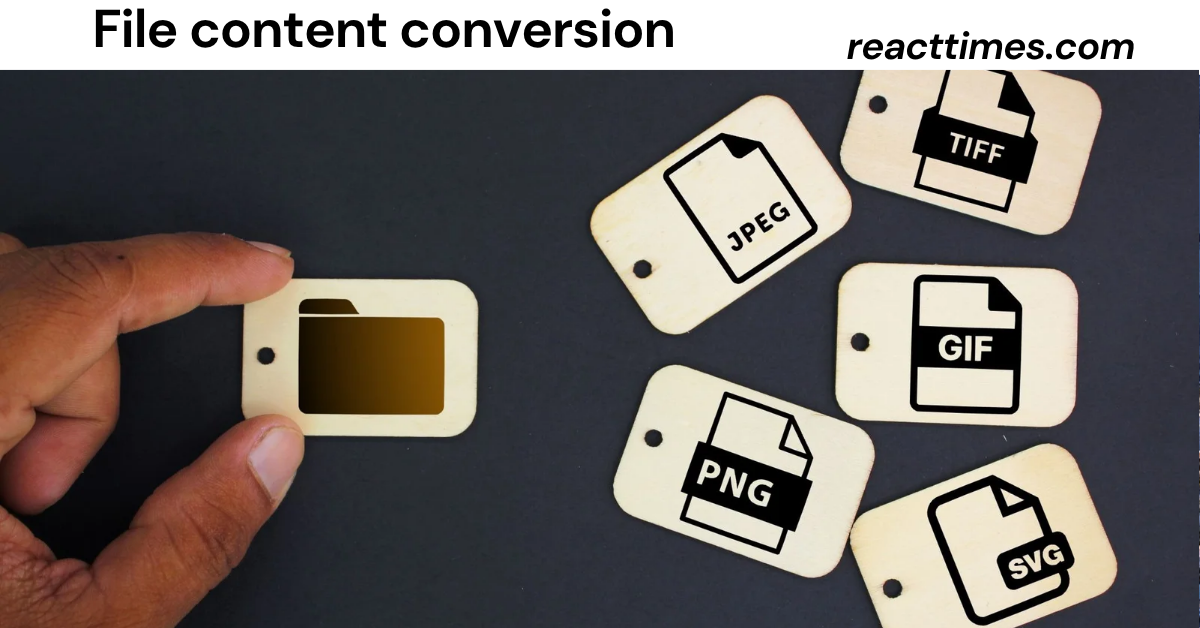
Every day, businesses, government agencies, healthcare organizations, educational institutions, and individuals exchange millions of digital files. These files come in many different formats, including CSV, Excel, XML, JSON, PDF, Word, plain text, and many others. Unfortunately, not every system understands every file format. This is where file content conversion becomes essential.
File content conversion is much more than simply changing a file’s extension. It involves transforming data from one format into another while preserving the information, structure, accuracy, and usability of the original content. Whether you are migrating business data, integrating software applications, sharing documents, or preparing reports, accurate file conversion helps ensure smooth communication between systems.
As organizations increasingly rely on automation, cloud computing, artificial intelligence, and digital workflows, file content conversion has become one of the most important processes in modern information management. Businesses that handle conversions correctly reduce manual work, minimize errors, improve productivity, and maintain data quality.
This comprehensive guide explains everything you need to know about file content conversion, including how it works, common file formats, business applications, best practices, security considerations, conversion tools, AI-powered automation, and future industry trends.
What Is File Content Conversion?
File content conversion is the process of transforming data from one file format into another while maintaining the meaning, organization, and integrity of the original information.
Unlike simply renaming a file extension, file content conversion restructures the actual data so it can be read and processed by another application or system.
For example:
- CSV to Excel
- Excel to JSON
- XML to CSV
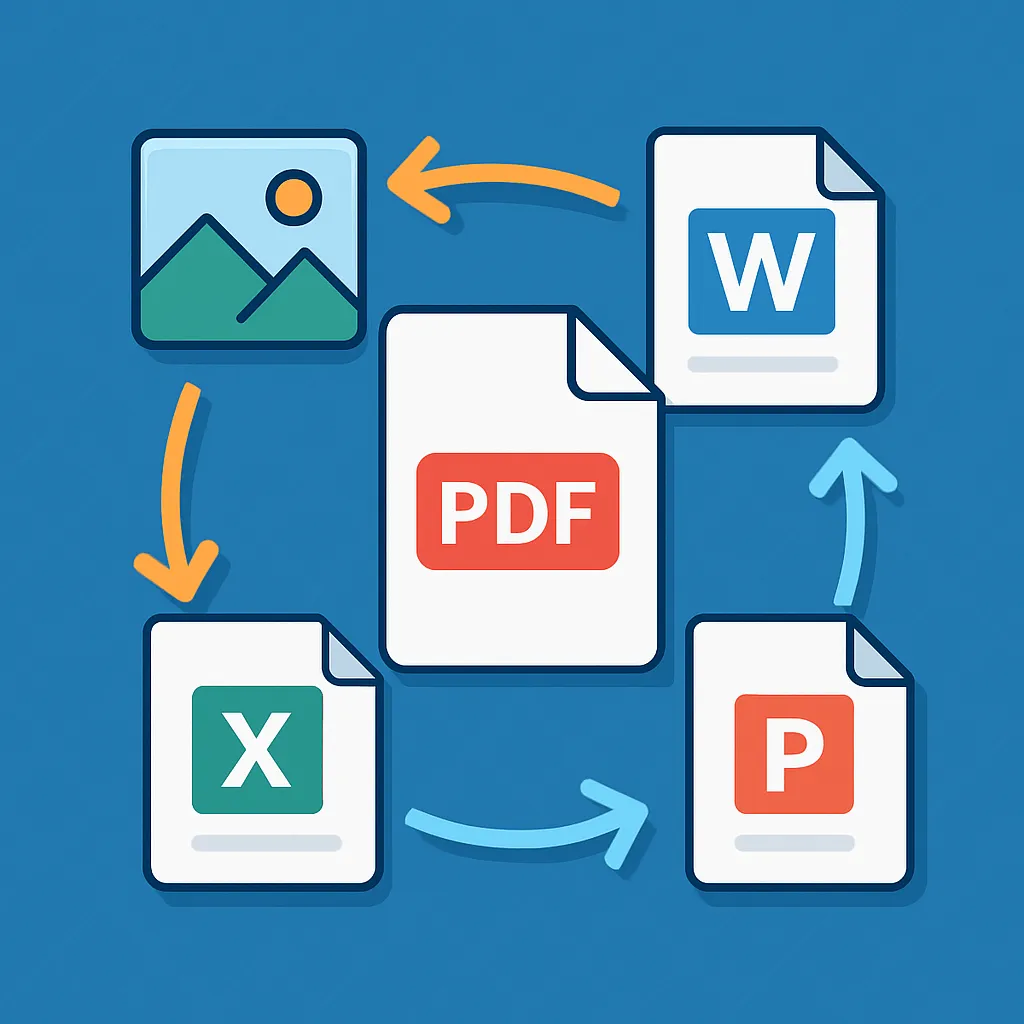
- PDF to Word
- Word to PDF
- Text file to XML
- JSON to XML
- HTML to PDF
- Excel to SQL database
- CSV to XML
Each conversion requires translating data into a format that another program can understand without losing important information.
Why File Content Conversion Matters
Modern organizations use many different software platforms.
Also read:Quartist: The Rising Competitive Sport, Community, and Future of the Game
One department may use Microsoft Excel.
Another department may use cloud databases.
Accounting software may export CSV files.
An ERP system may require XML.
A website API may require JSON.
Without file content conversion, these systems cannot communicate efficiently.
Proper conversion helps organizations:
- Share information easily
- Reduce manual data entry
- Improve automation
- Save time
- Prevent costly errors
- Maintain consistent data
Instead of recreating information manually, businesses convert files automatically and continue working without interruption.
How File Content Conversion Works
Although conversion methods vary depending on file types, most follow a similar workflow.
Step 1: Read the Source File
The conversion software first analyzes the original file.
It identifies:
- File format
- Character encoding
- Data structure
- Tables
- Images
- Metadata
- Formatting
Understanding the original structure is essential before conversion begins.
Step 2: Interpret the Content
Next, the software interprets the data.
For example:
A CSV file contains rows and columns.
An XML document contains nested tags.
A JSON file stores objects and arrays.
A PDF may contain text, images, tables, or scanned pages.
The conversion engine determines how each element should be represented in the new format.
Step 3: Transform the Data
The actual conversion begins.
This may involve:
- Rearranging fields
- Mapping columns
- Changing formatting
- Converting text encoding
- Standardizing dates
- Transforming numbers
- Preserving special characters
During this stage, maintaining data accuracy is the highest priority.
Step 4: Validate the Results
After conversion, the output file is checked.
Validation confirms:
- No missing records
- Correct formatting
- Complete data
- Proper file structure
- Compatible output
Quality validation reduces the risk of corrupted files.
Common File Formats Used in File Content Conversion
Understanding file formats helps users choose the correct conversion approach.
CSV (Comma-Separated Values)
CSV files store data in rows and columns.
They are widely used for:
- Business reports
- Customer databases
- Inventory
- Financial records
- Data imports
CSV is one of the most common formats involved in file content conversion.
Microsoft Excel (XLSX)
Excel files support:
- Multiple worksheets
- Charts
- Formulas
- Tables
- Formatting
Businesses frequently convert Excel files into CSV, PDF, JSON, or XML.
JSON (JavaScript Object Notation)
JSON is lightweight and commonly used by:
- APIs
- Websites
- Mobile apps
- Cloud applications
Developers often convert between JSON and XML.
XML (Extensible Markup Language)
XML organizes information using structured tags.
Industries using XML include:
- Banking
- Healthcare
- Government
- Manufacturing
- Enterprise software
XML remains important for large-scale data exchange.
PDF (Portable Document Format)
PDF files preserve document appearance regardless of device.
Common conversions include:
- PDF to Word
- PDF to Excel
- PDF to Text
- Word to PDF
Business reports frequently use PDF.
Microsoft Word (DOCX)
Word documents support:
- Reports
- Contracts
- Manuals
- Policies
- Educational materials
Many organizations convert Word documents into PDF for secure sharing.
Plain Text Files
Text files contain unformatted information.
Developers often convert text into structured formats like CSV or XML.
Different Types of File Content Conversion
Not every conversion serves the same purpose.
Several categories exist.
Document Conversion
Examples include:
- Word to PDF
- PDF to Word
- HTML to PDF
These conversions focus on preserving layout and readability.
Data Conversion
Examples include:
- CSV to Excel
- Excel to XML
- JSON to CSV
This category prioritizes data accuracy.
Database Conversion
Organizations often migrate between databases.
Examples include:
- SQL exports
- Database backups
- Cloud migration
Image-Based Conversion
Scanned documents may require OCR (Optical Character Recognition).
Examples include:
- Image to Text
- Image to PDF
- Scanned PDF to Word
Structured Data Conversion
Enterprise software frequently converts:
- XML
- JSON
- YAML
- CSV
These conversions enable software integration.
Benefits of File Content Conversion
Organizations across industries rely on file content conversion because it delivers measurable operational improvements.
Improves System Compatibility
Different software applications use different formats.
Conversion enables communication between systems without replacing existing software.
Reduces Manual Work
Instead of copying information manually, businesses automate file conversion.
This saves hours of repetitive work.
Minimizes Errors
Manual data entry introduces mistakes.
Automated conversion improves consistency and reduces human error.
Supports Business Automation
Many automated workflows depend on standardized file formats.
File conversion makes automation possible.
Speeds Up Data Sharing
Teams can exchange compatible files instantly.
This improves collaboration across departments.
Improves Data Quality
Conversion tools often clean:
- Duplicate entries
- Invalid values
- Missing information
- Formatting inconsistencies
The result is cleaner, more reliable data.
Industries That Depend on File Content Conversion
Almost every industry benefits from reliable data conversion.
Healthcare
Hospitals exchange patient records between systems using standardized file formats.
Accurate conversion supports continuity of care and regulatory compliance.
Finance
Banks process transactions, statements, invoices, and financial reports across multiple platforms.
Conversion ensures data remains consistent and secure.
Retail and E-commerce
Online stores import product catalogs, inventory files, pricing information, and customer records from various sources.
Education
Schools and universities convert learning materials, enrollment records, and academic reports between different software systems.
Government
Public agencies exchange structured data between departments while maintaining compatibility with long-term record systems.
Manufacturing
Manufacturers convert production schedules, inventory files, supply chain records, and machine-generated data to support operational efficiency.
How Artificial Intelligence Is Changing File Content Conversion
Artificial intelligence is transforming traditional conversion processes.
Instead of simply changing file formats, AI can understand content and improve conversion quality.
Modern AI-powered conversion systems can:
- Detect document structure automatically.
- Identify tables and forms.
- Correct formatting inconsistencies.
- Recognize handwritten or scanned text through OCR.
- Suggest data mappings between different formats.
- Flag potential conversion errors before export.
These capabilities reduce manual adjustments and improve the accuracy of complex conversions.
Choosing the Right File Content Conversion Method
The best conversion method depends on several factors, including the type of file, the amount of data, security requirements, and the intended use of the converted content.
For simple personal documents, basic conversion software may be enough. For enterprise environments handling sensitive information or large datasets, organizations often require professional conversion tools with validation, automation, and audit capabilities.
When selecting a solution, consider:
- Supported file formats.
- Accuracy of data preservation.
- Speed of conversion.
- Security features.
- Batch processing capabilities.
- Ease of integration with existing workflows.
- Customer support and documentation.
Choosing the right approach reduces the risk of data loss and improves long-term productivity.
Best Practices for Successful File Content Conversion
Even the most advanced conversion software cannot guarantee perfect results if the original files are poorly organized or damaged. Following proven best practices helps ensure accurate, secure, and efficient file content conversion.
Always Back Up Original Files
Before converting any important file, create a backup of the original version.
A backup allows you to:
- Recover lost information
- Compare converted results
- Correct unexpected errors
- Maintain historical records
Keeping original files is especially important for business, legal, and financial documents.
Validate Converted Data
Never assume that every conversion is perfect.
After file content conversion, review:
- Missing records
- Incorrect formatting
- Broken tables
- Special characters
- Date formats
- Numeric values
- Hyperlinks
- Images
Validation helps detect problems before files are shared or imported into another system.
Use Standardized File Formats
Whenever possible, use widely accepted formats such as:
- CSV
- XLSX
- JSON
- XML
- TXT
Standard formats improve compatibility across software applications and reduce conversion issues.
Automate Repetitive Conversions
Organizations that process files daily can benefit from automation.
Automated workflows help:
- Save time
- Improve consistency
- Reduce manual errors
- Increase productivity
- Handle large volumes of files
Many businesses schedule automatic conversions as part of their daily operations.
Maintain Consistent Data Structure
Consistent naming conventions, column order, and formatting make file conversions more reliable.
For example, if one CSV file contains customer names in the first column and another places them in the third column, automated systems may struggle to process the data correctly.
Common Challenges in File Content Conversion
Although file content conversion is essential, it is not always straightforward. Several challenges can affect the accuracy and usability of converted files.
Data Loss
One of the biggest concerns is losing information during conversion.
Examples include:
- Missing rows
- Deleted images
- Lost formatting
- Incorrect symbols
- Truncated text
Using reliable conversion software and validating results helps minimize these risks.
Formatting Problems
Different file formats support different design features.
For example:
- Fonts may change.
- Tables may shift.
- Images may move.
- Margins may vary.
- Colors may not transfer accurately.
Formatting differences are common when converting complex documents.
Character Encoding Issues
International files often contain special characters.
Incorrect encoding may produce unreadable symbols instead of letters.
Using UTF-8 or other appropriate encoding standards helps preserve multilingual content.
Large File Sizes
Very large files require more processing power.
Large datasets may increase:
- Conversion time
- Memory usage
- Storage requirements
Enterprise conversion tools are generally better suited for handling high-volume workloads.
Complex Data Structures
Some formats, particularly XML and JSON, contain nested data.
Improper mapping may cause information to appear in the wrong location after conversion.
Careful planning and testing reduce these risks.
File Content Conversion for Businesses
Businesses use file content conversion in almost every department.
Customer Relationship Management (CRM)
Companies often import customer information from spreadsheets into CRM systems.
Conversion ensures that contact information, purchase history, and communication records remain accurate.
Accounting
Financial software frequently exchanges:
- Invoices
- Payment records
- Expense reports
- Tax documents
Reliable conversion helps maintain financial accuracy.
Human Resources
HR teams convert:
- Employee records
- Payroll information
- Job applications
- Performance reports
Standardized files simplify workforce management.
Marketing
Marketing teams convert campaign reports, customer lists, website analytics, and advertising data into formats suitable for reporting and analysis.
Data Migration
When organizations upgrade software, file content conversion plays a major role in transferring historical data from legacy systems to modern platforms.
Cloud-Based File Content Conversion
Cloud computing has changed how organizations handle file conversions.
Instead of installing software locally, many businesses now use cloud-based conversion services.
Advantages include:
- Access from anywhere.
- Automatic software updates.
- Easy collaboration.
- Faster scalability.
- Reduced hardware requirements.
Cloud platforms are particularly useful for remote teams working across multiple locations.
Security Considerations
Files often contain confidential information, making security a critical part of file content conversion.
Organizations should follow these practices:
- Encrypt sensitive files during transfer.
- Limit access to authorized users.
- Use secure cloud storage.
- Maintain audit logs.
- Remove temporary conversion files after processing.
- Comply with privacy regulations where applicable.
Security should remain a priority throughout the entire conversion process.
How Automation Improves File Content Conversion
Automation has become one of the biggest advancements in file conversion technology.
Instead of converting files one at a time, automated systems can process thousands of files according to predefined rules.
Automation offers several advantages:
- Faster processing.
- Reduced operational costs.
- Consistent results.
- Lower risk of manual mistakes.
- Continuous workflow integration.
Businesses processing invoices, customer records, inventory files, or financial reports often benefit significantly from automated conversion workflows.
Comparing Manual and Automated File Content Conversion
Both manual and automated approaches have advantages depending on the situation.
| Feature | Manual Conversion | Automated Conversion |
| Speed | Slower | Much Faster |
| Accuracy | Depends on the user | Highly consistent |
| Large Files | Difficult | Efficient |
| Repetitive Tasks | Time-consuming | Easily handled |
| Human Error | Higher risk | Lower risk |
| Scalability | Limited | Excellent |
For organizations with frequent conversion needs, automation is generally the more efficient solution.
Future Trends in File Content Conversion
Technology continues to reshape how digital information is exchanged.
Several trends are expected to influence the future of file content conversion.
Artificial Intelligence Integration
AI will continue improving:
- Document recognition.
- Smart formatting.
- Automatic data mapping.
- Error detection.
- Intelligent validation.
These capabilities will make conversion faster and more accurate.
Machine Learning Optimization
Machine learning systems can learn from previous conversions.
Over time, they become better at recognizing patterns and improving conversion quality.
Real-Time File Conversion
Businesses increasingly expect instant file transformation.
Future platforms will support real-time conversion between connected applications without requiring manual uploads.
API-Based Conversion Services
Modern software applications communicate through APIs.
Many organizations now integrate file content conversion directly into their software workflows, eliminating unnecessary manual steps.
Greater Cloud Adoption
Cloud-native conversion platforms will continue expanding because they provide flexibility, scalability, and simplified collaboration.
Expert Tips for Better File Content Conversion
Professionals who manage large amounts of digital data often follow several practical habits that improve conversion quality.
- Organize files before converting them.
- Remove duplicate or outdated data.
- Use consistent file naming conventions.
- Test conversions with small sample files before processing large datasets.
- Review conversion logs for unexpected warnings.
- Keep software updated to support the latest file formats.
- Train team members on proper conversion procedures.
- Monitor workflow performance regularly.
Small improvements in process management often lead to significant gains in accuracy and efficiency.
Frequently Asked Questions (FAQs)
What is file content conversion?
File content conversion is the process of transforming data from one file format into another while preserving the original information, structure, and usability.
Why is file content conversion important?
It allows different software applications and systems to exchange information efficiently without requiring manual data entry or reformatting.
Can file content conversion cause data loss?
If performed incorrectly, some information may be lost. Using reliable conversion tools, validating results, and keeping backups greatly reduces this risk.
What is the most common file conversion?
Some of the most common conversions include CSV to Excel, Excel to CSV, PDF to Word, Word to PDF, XML to JSON, and JSON to XML.
Can businesses automate file content conversion?
Yes. Many organizations automate repetitive conversions to save time, reduce costs, and improve accuracy.
Is file content conversion secure?
It can be secure when organizations use trusted software, encrypt sensitive files, control user access, and follow appropriate security practices.
Final Verdict
As businesses and individuals continue to work with an ever-growing variety of digital file formats, file content conversion has become a critical part of modern data management. It allows information to move seamlessly between software applications, databases, cloud platforms, and business systems without sacrificing accuracy or usability.
Beyond simply changing file types, effective file content conversion preserves the integrity, structure, and meaning of valuable information. Whether converting spreadsheets for financial reporting, transforming XML into JSON for application development, or migrating historical records to a new platform, a well-executed conversion process saves time, reduces errors, and improves productivity.
Advancements in artificial intelligence, automation, cloud computing, and machine learning are also redefining the future of file conversion. Modern solutions can now recognize document structures, automate repetitive tasks, validate data quality, and integrate directly into business workflows, making conversions faster and more reliable than ever before.
Organizations that invest in proper conversion practices—such as maintaining backups, validating results, using standardized formats, and prioritizing security—will be better prepared to handle growing volumes of digital information.
Ultimately, file content conversion is more than a technical process. It is a strategic capability that supports collaboration, business efficiency, digital transformation, and long-term data accessibility. As technology continues to evolve, mastering file content conversion will remain essential for organizations seeking to stay productive, connected, and competitive in an increasingly digital world.